







Direct Answer
An Excel onboarding spreadsheet works while you hire only a few people a year, but it stops paying off once several people edit it at once, access sits in separate lists, and every hire costs 2 to 3 hours of manual IT work. You can replace it in five steps: audit the spreadsheet, define requirements, choose a platform with HRIS integration, pilot it with one team, then roll it out and close the file. An automated platform like deeploi cuts the IT work per onboarding to 3 to 5 minutes.
Key Takeaways
- Excel hits its limit as you grow: Running onboarding in Excel leads to version chaos, forgotten access and 2 to 3 hours of manual IT work per hire.
- The gap between : New employees often wait days for their laptop, accounts and software. Automated onboarding software bridges this handover.
- A 5-step migration with clear time savings: Audit the spreadsheet, define requirements, choose a platform with HRIS integration, run a pilot and roll it out. At 10 hires a month, the effort drops from 25 hours to under one hour.
- Ready in minutes with deeploi: As an All-in-One IT Management Platform, deeploi automates onboarding and offboarding in 3–5 minutes per employee and takes the load off companies with or without their own IT team.
How to tell your Excel spreadsheet has hit its limit
An Excel spreadsheet is a reminder tool: it records who should do what and when. That strength becomes a problem once onboarding turns into a recurring process.
Four signs your spreadsheet has reached its limit:
- You hire a new team member more than once a month, and every onboarding means 2–3 hours of manual IT work: sourcing a laptop, creating accounts, installing software and granting access.
- Several people edit the file in parallel, and nobody knows which version is current anymore.
- Devices, licenses and software access live in separate lists outside the spreadsheet, so nobody has a clear overview.
- Steps get forgotten: a former employee keeps her mailbox access, and a new colleague starts without the tools his role requires.
This has two downsides. First, every hire costs your team time in the onboarding process that it urgently needs elsewhere. Second, a bumpy start directly affects new employees: according to the Haufe Talent Onboarding Study 2023, 78% of respondents say onboarding at their company needs improvement. The first day at work plays a big part in how motivated someone stays in the long run.
How to replace Excel for onboarding in 5 steps
The switch breaks down into five steps. Take extra time for the audit and the selection, because you can handle the remaining steps alongside day-to-day operations.
Step 1: Audit your spreadsheet
Turn every column in your spreadsheet into a process step: who does what, in which order, and how often did it get forgotten? The spreadsheet becomes the blueprint for your requirements for the new platform. If you have never written your steps down systematically, a structured onboarding checklist works as a reference grid: it shows which phases a complete process should include, from device provisioning to compliance.
Step 2: Define your requirements
The audit gives you your must-have criteria. They typically include integration with your HR system so the process starts automatically; device management via MDM (Mobile Device Management, the central management and configuration of all company devices); automatic software deployment so programs are installed from day one; and a clear path for support requests. Add criteria from the MDM space such as device encryption and remote lock if you handle customer data.
Step 3: Choose the right onboarding software
Check every option against four questions:
- Does it cover the full IT lifecycle, meaning onboarding, device management, software, security and support?
- Is there real expert support with a guaranteed response time when something goes wrong?
- Can people without an IT background use the platform?
- Is the pricing transparent, for example a fixed monthly price per active team member instead of hidden per-ticket costs?
Step 4: Run a pilot with one team
Test the platform you chose with a small team or your next upcoming hire. The pilot lets you catch errors in a safe setting before the whole company is affected. Keep the Excel spreadsheet running in parallel as your safety net in case a step isn't fully automated yet. After each pilot onboarding, review the deviations and adjust the workflows.
Step 5: Roll out and close the Excel spreadsheet
After two or three successful onboardings, archive the spreadsheet, move everyone involved to the new process and set a recurring date to review it. The most important moment of the migration is when the file is closed for good. As long as it stays open as a fallback, the old workload comes back.
{{cta}}
Onboarding software vs Excel: the difference
Excel doesn't send reminders. The spreadsheet stores what needs to happen and when, but a person has to check and trigger every single step. Onboarding software does that automatically.
The difference becomes tangible in two places:
- Automated workflows triggered directly from your HR system (HRIS, Human Resources Information System): as soon as a new person is created in the HR system, onboarding starts automatically. You define the setup and approve the setup and device purchase once, and device ordering, account creation and software installation then run on their own. deeploi integrates with Personio, Factorial HR, BambooHR and other HRIS tools for this.
- One central platform where devices, licenses, access and support requests live in one place and the status is visible to everyone involved.
The time savings in numbers
Manual IT onboarding takes 2 to 3 hours per person. At an average of 2.5 hours and ten hires a month, that adds up to 25 hours of manual work.
An automated platform like deeploi reduces the effort per hire to 3 to 5 minutes. That means up to 95% less manual IT work, and the monthly effort drops to under one hour. If you automate employee onboarding, you win back these hours with every single hire.
On top of that come savings that never show up in a spreadsheet:
- New employees don't wait days for their device, because device ordering starts automatically with the onboarding process.
- Interruptions from "Can I get access?" requests disappear, because access is granted automatically based on role.
The consulting firm b-edgile shows what this looks like in practice. The Munich-based team used to track devices and access manually in Excel, and each onboarding took around two hours of IT work. With deeploi, IT onboarding time per employee dropped to five minutes.
{{quote}}
How deeploi automates your IT onboarding
deeploi is an All-in-One IT Management Platform for SMBs that makes IT onboarding for new employees much faster and smoother than Excel ever could. Instead of your spreadsheet, your HR system triggers the process.
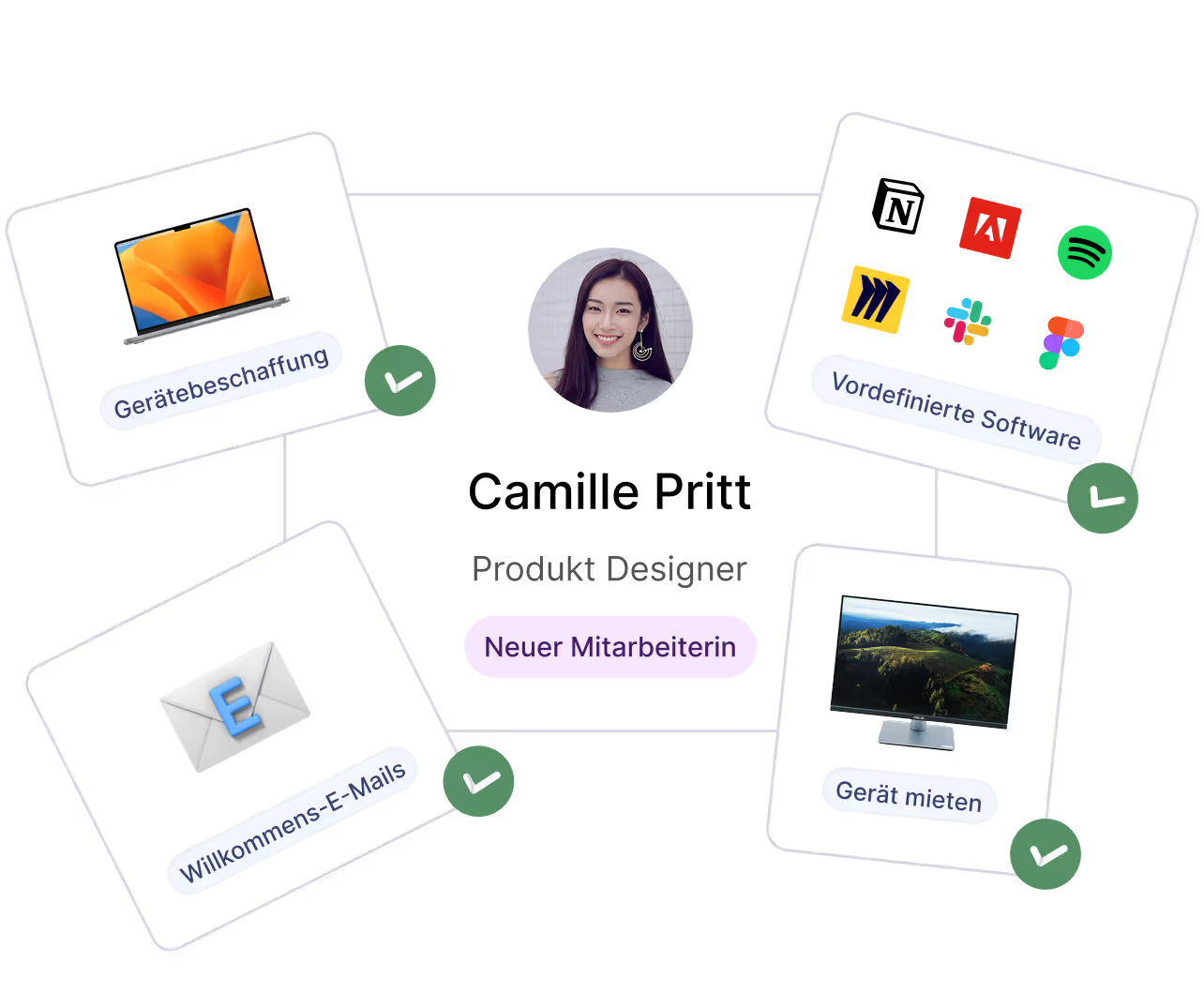
- Automatic HRIS trigger: Starts onboarding automatically from Personio, Factorial HR, BambooHR and other HR systems.
- IT onboarding in 3–5 minutes (manually: 2–3 hours): The workspace account is created, and predefined software packages are installed from day one.
- Existing devices included: deeploi brings your existing hardware under central management and handles the migration from your current MDM tool.
- Expert support with SLA: Our human support team responds in 12 minutes on average (SLA: 30 minutes), in English and German.
- AI Agent Sam: Sam is available 24/7, takes action directly in your workspace and on devices with sign-off from your IT owner, and hands complex cases over to our experts.
- Security and transparent costs: deeploi is ISO 27001 certified and GDPR compliant, with no setup fee and no per-ticket costs.
Whether you have no IT team and want to hand off IT management completely, or you want to free an existing team from password resets and simple requests, a no-obligation demo shows you how deeploi covers your entire IT lifecycle.
Conclusion: ready to leave Excel behind? Start with deeploi
Your Excel spreadsheet was a good start, but your company has outgrown it. Switching to automated onboarding is manageable: depending on company size, the move takes 1–4 weeks, built on a clean audit and a pilot. Every hire who starts without version chaos and forgotten access gives your team time back for the actual business. The first step is small: open your spreadsheet and turn every column into a process step.
FAQ
How long does it take to switch from Excel to onboarding software?
Depending on company size and the number of steps you want to automate, implementation takes 1–4 weeks. Start with a pilot in a small team or with your next hire, and keep the spreadsheet running in parallel until two or three onboardings have gone through cleanly. After that, archive it and move everyone over.
Is automated onboarding worth it for small teams?
Once you hire regularly, roughly every month, automation pays off on the numbers: ten hires a month at an average of 2.5 hours of manual work per person add up to 25 hours, which an automated platform reduces to under one hour. If you only hire a handful of people per year, the effort of switching outweighs the benefit, and a well-maintained checklist is enough.
What happens to the data in my Excel spreadsheet?
Your spreadsheet isn't migrated, it's translated: the audit from step 1 gives you the process steps that you rebuild as workflows in the new platform. Archive historical data for documentation and move active information, such as open device orders or current access rights, into the platform. After that, the file no longer has an operational purpose.
Which HR systems can I connect to deeploi?
deeploi integrates with Personio, Factorial HR, BambooHR and other HRIS tools. As soon as the new person is created in your HR system, onboarding starts in deeploi automatically. You define the setup and approve the setup and device purchase once, and device ordering, account creation and software installation then run automatically. That's why integration with your HR system belongs among the must-have criteria in step 2 of the switch.