.jpg)









Direct Answer
Scalable IT means that new employees, devices, and software don't create more manual work every time the company grows. As teams expand, locations multiply, or several people start at once, manual processes quickly become bottlenecks. Automated onboarding and offboarding, centralized device management, controlled licenses, and scalable IT support create the foundation for IT to grow with the business instead of holding it back.
Key Takeaways
- IT scalability is an operational problem, not a technical one — the real bottleneck isn't cloud capacity, it's manual processes that cost more time with every new hire.
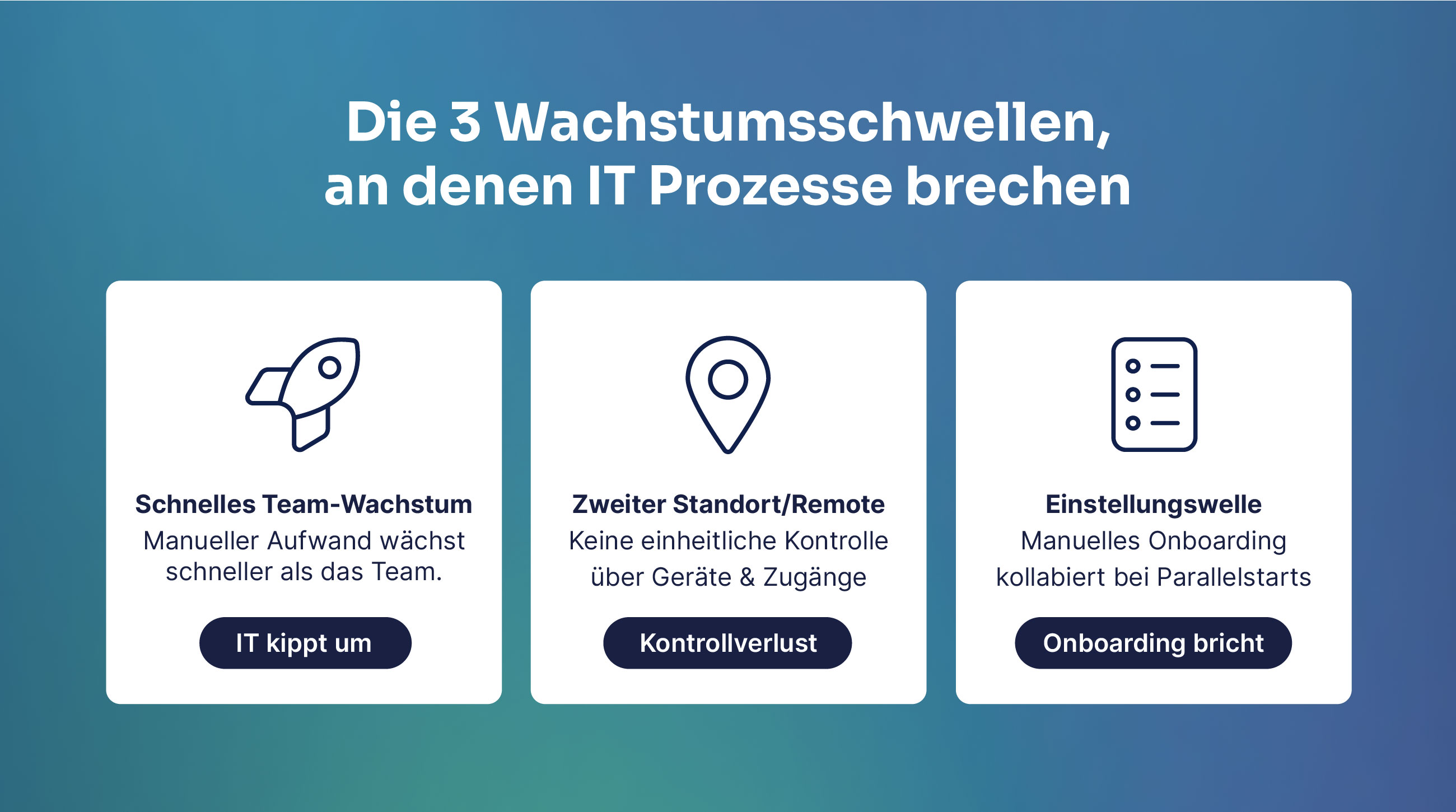
- There are three typical tipping points: fast team growth from ~40–50 people, a second office or remote setup, and multiple parallel hires in a short period.
- Scalable IT rests on four pillars: automated onboarding/offboarding, central device management (MDM), licence and software management, and IT support that works regardless of team size.
- Six questions are enough for a first scalability check: onboarding time, parallel hire capacity, weekly hours spent on IT routines, device/licence overview, offboarding security, and support response time.
- Instaffo eliminated 97% of manual IT workload, saved 75% of IT costs and reduced onboarding from 2–3 hours to 5 minutes with deeploi — a typical result when all four pillars work together.
Sometimes it's a lost laptop. Sometimes it's an employee who left the company weeks ago and whose accounts are still active. Sometimes it's five new colleagues starting on the same Monday. The triggers look different, but the pattern behind them is always the same: IT is no longer keeping pace with growth. This article explains which growth thresholds break IT processes, which four pillars make the difference, and how to tell whether your IT is ready to scale.
What "scalable IT infrastructure" really means
An IT system is considered scalable when it can handle rising demands (more users, more data, more transactions) without a disproportionate increase in effort.
In practice, that means:
- More employees don't automatically cost more IT time
- New devices can be set up without extra work
- Software and access rights stay under control, no matter how large the team gets
In the IT world, scalability is usually explained in technical terms: servers, hardware, cloud capacity. But for companies without an in-house IT specialist, that's rarely the sticking point. What actually matters is whether the office manager or the founder can get three new hires fully productive on a Monday without spending the rest of the week on it. The real bottleneck sits at the operational level.
Six signs your IT isn't scaling with you
IT infrastructure that doesn't scale shows up in six typical symptoms:
- The total effort for onboarding grows with every new person, because every step is coordinated manually
- Software licenses are tracked in spreadsheets — until someone forgets a license or pays for the same one three times
- Devices are handed out manually and not managed centrally. When someone leaves, nobody is quite sure what needs to come back
- The person who "does IT on the side" (the accidental IT owner) spends proportionally more time on routine tasks the bigger the team gets
- Offboarding takes disproportionately long when team members leave, and it's unclear whether every account was actually revoked
- IT requests are handled by one person as a side job, which creates waiting times and bottlenecks as soon as the team grows
If any of these sound familiar, your IT infrastructure has a scalability problem — regardless of which cloud solution you're using.
Where IT processes break during growth
There are specific growth phases that reveal whether IT scales along with the business or turns into a brake. Almost every fast-growing SME goes through three of them.
Fast team growth
Up to roughly 20–30 people, a lot can still be done manually. Devices are handed over in person, access is coordinated by email, software licenses are counted by hand. It costs time, but somehow it works. At around 40–50 employees, the balance tips. Whoever looks after IT on the side — as an HR manager, office manager or founder — suddenly spends a significant part of the week on pure routine tasks: ordering a device, setting it up, handing it over, creating accounts, topping up licenses.
A second location or remote teams
A second office or a larger remote setup multiplies complexity overnight.
- Devices have to arrive ready to work, without an in-person handover.
- Software rollouts across locations need a central mechanism.
- Access rights have to be granted and revoked consistently, regardless of location.
Without automated IT processes, this step quickly leads to a loss of control. Not all devices are on the same security level, and you lose visibility over who has access to what.
Several new hires per month
Growth phases after a funding round or a major contract often mean 5, 10 or 15 new employees in a short space of time. A manual onboarding process collapses at exactly this point. Every parallel hire multiplies the workload, mistakes pile up, and accounts are forgotten or granted inconsistently.
{{cta}}
The four pillars of scalable IT for growing SMEs
Scalable IT infrastructure doesn't mean more hardware or a bigger budget. It means that four core operational areas are automated and standardized to the point where they work reliably no matter how big the team is.

1. Automated onboarding and offboarding
A scalable onboarding process runs exactly the same whether one person or ten start at once: device pre-configured, all required apps installed, accounts ready — without HR or the management team stepping in manually. During offboarding, all access is deactivated automatically.
As soon as a new employee is created in the HR system, the onboarding workflow starts by itself: accounts are created, permissions are assigned, devices are prepared.
2. Centralized device management (mobile device management)
Mobile device management (MDM) sounds technical — and it is. Without the right solution, it quickly becomes time-consuming and error-prone. With it, every device in the company is recorded centrally, updates run automatically, and if a device is lost or an employee leaves, it can be locked or wiped remotely.
Beyond a certain team size, you inevitably lose track without MDM. Spreadsheets and personal memory don't scale; a central system does. Managing every device in one place significantly lowers operational risk and gives you visibility into your security posture at any time.
Security vulnerabilities are among the most common entry points for cyberattacks. As soon as a vulnerability becomes known, vendors release an update. The faster that update lands on every device, the smaller the risk. Automated patch management does exactly that, without anyone having to chase it manually.
3. License and software management
As the team grows, the number of SaaS tools rises fast. Without a central overview, two problems appear at once: license costs spiral out of control, because access isn't revoked when people leave. On top of that, you lose track of who is actually using which tools.
Predefined software packages by role or department make sure new team members get exactly the tools they need from day one — without HR having to track individual access requests.
4. IT support that grows with the team
Internal IT support scales badly by design. The more people on the team, the more support requests. But the person answering them is still the same person. That leads to bottlenecks, waiting times, and an IT owner who no longer gets to do anything else.
Scalable IT support solves this by decoupling response time from team size. Requests are handled quickly and reliably, whether thirty or several hundred people work at the company. That reduces downtime and keeps productivity stable across the whole team.
Scale your IT infrastructure with deeploi ✅
Is your IT infrastructure ready to grow? The 6-question check
Six questions are enough to get a first picture:
- How long does onboarding take for a new team member, from ordering the device to having it ready to work?
- What exactly happens when five people start at the same time?
- How many hours per week does the person looking after IT spend on pure routine tasks?
- Do you have an up-to-date, complete overview of all devices, licenses and access rights?
- How long does offboarding take, and how certain are you that every account is actually revoked?
- Who answers your team's IT requests, and how long does it take on average?
If you hesitate on one or two questions, it's worth sharpening individual processes. If three or more stay unanswered, too many workflows are still manual — and the next growth spurt will turn them into a brake. At that point, it makes more sense to stop adjusting individual settings and instead automate onboarding, device management, licenses and support together.
When IT grows with you instead of holding you back: deeploi makes it possible
The four pillars of scalable IT can be covered with separate solutions: MDM software for device management, a separate tool for license management, another one for the helpdesk. In practice, that creates a new problem — multiple systems, multiple vendors, and manual handovers in between.
deeploi bundles onboarding, device management, license management and IT support into one platform built specifically for growing companies. The idea behind it: IT processes should run without an in-house IT specialist, and the workload shouldn't double every time the team does.
Specifically, deeploi takes care of:
- Automated onboarding and offboarding: as soon as a new employee is created in the HR system, onboarding starts automatically — including accounts, permissions and a pre-configured device.
- Centralized device management: every device is recorded in one place, updates run automatically, and if a device is lost or an employee leaves, it can be locked remotely.
- License and software management: software is distributed in role-based packages, unused access is revoked, and all SaaS costs stay visible.
- Scalable IT support: Sam, deeploi's AI agent, is available around the clock and replies instantly. It doesn't just answer questions — it can act directly in the system, for example revoking access or adjusting device settings. For complex issues, the human support team takes over, responding in an average of 12 minutes (SLA: 30 minutes).
The result is an IT infrastructure that grows with the company, without every new hire creating extra manual work.
What that looks like in practice is shown by Instaffo, for example. With deeploi, the company eliminated 97% of its manual IT workload, saved 75% of its previous IT costs and cut onboarding from 2–3 hours down to 5 minutes.
Scale your IT infrastructure with deeploi ✅
Conclusion: growth scales with the right IT solution
The limiting factor for IT scalability in growing SMEs is usually the manual work behind every device, every license and every onboarding — work that grows a little with every hire, until at some point it starts slowing down growth itself.
Automating IT processes before the first bottlenecks appear gives the team room to grow. It doesn't take a bigger budget or extra headcount, just workflows that work reliably regardless of team size. A platform like deeploi bundles onboarding, device management, licenses and support in one place, so your IT grows with you instead of slowing you down.
FAQ
At how many employees does automated IT pay off?
Most companies feel the tipping point between 30 and 50 employees. Beyond that, the manual IT workload exceeds what can be organized on the side. Automating earlier prevents bottlenecks from forming in the first place, which is why a platform like deeploi often pays off before the workload becomes noticeable.
Do you need your own IT department to build scalable IT?
No. Scalable IT processes work whether or not there's an internal IT team. Automated onboarding, MDM and license management reduce manual effort because administration runs centrally and automatically. deeploi is built for exactly this case: companies that want to run scalable IT without an IT team of their own.
Which infrastructure model suits an SME without an IT team?
For most SMEs without an in-house IT team, cloud-first is the pragmatic route: low setup effort, no hardware maintenance of your own, and full scalability. deeploi takes a cloud-first approach and manages the entire IT centrally through one platform, so growing companies are set up to scale without their own IT team.
What does automated IT cost compared to an in-house solution?
An in-house solution often looks cheaper because the costs are hidden in other roles — in HR or operations time, for instance. Once you add up those hours, the tool costs and the risk of missing compliance, a central platform usually comes out lower. deeploi works with a fixed price per user per month, so costs stay transparent and predictable, with no hidden add-ons.
Can scalable IT be connected to our HR system?
Yes. Integrating with your HR system is the foundation for automated onboarding, because new employees are created there first. deeploi connects to common systems such as Personio, BambooHR and Factorial, so accounts and devices are ready without double data entry.
What are the first concrete steps to make IT processes scalable?
Start with the 6-question check from this article. If three or more questions remain unanswered, too many processes are still running manually. The most impactful first step is almost always onboarding: if one hire starting alongside four others multiplies the effort fourfold, that's the clearest sign of missing automation. Starting there creates immediately measurable relief and simultaneously builds the foundation for the other three pillars.



