








Direct Answer
MDM (Mobile Device Management) manages devices, but not the IT operation behind them: setup, updates, and policies are centralized, while support and ongoing administration remain with the company. Managed IT services cover operations, support, and security. For many SMBs without an internal IT team, combining both is more practical than relying on MDM alone or paying for an oversized MSP contract.
Key Takeaways
- MDM manages devices, but it does not replace a support team. Setup, app distribution, security updates and remote wipe all run automatically. When a laptop freezes or a colleague cannot get into her email account, the MDM tool has no answer.
- Managed IT takes over your entire IT operation. A managed service provider (MSP) handles monitoring, support, backup, security and advice, usually for a fixed monthly fee.
- The real costs are not on the price list. MDM looks cheap at first glance. Setup, training and day-to-day administration sit on top, and in practice they often exceed the licence fee itself.
- deeploi combines MDM automation with personal IT support in one platform, without the rigid flat fees of a traditional managed service provider.
You rolled out an MDM tool, the devices are running, and six months later 34 of 48 devices are enrolled. Nobody can tell you which 14 are missing. A config profile pushed on a Friday evening locked everyone out of the office WiFi. The person who set the system up left long ago. The compliance rules they created are still sitting in draft. On paper: a managed device fleet. In practice: a dashboard nobody trusts.
MDM is a tool, and a tool needs someone to operate it. In most small and mid-sized companies, that person does not exist. MDM and managed IT services solve different problems. This article shows you which model fits your business, and which option works when neither one is enough on its own.
What is MDM, and what can it actually do?
Mobile Device Management, or MDM, is software that lets you manage every device in your company centrally from a single interface. Instead of setting up each laptop by hand, you push settings, applications and security rules to all devices automatically. You can see at a glance which devices are active and which ones are missing updates. If a device goes missing, you wipe it remotely.
What MDM delivers in concrete terms:
- Device setup and provisioning (Windows, macOS, iOS)
- Automatic application distribution
- Automatic security updates for operating systems and applications
- Remote wipe when a device is lost or an employee leaves
- Encryption and policy enforcement for GDPR-compliant device management
MDM starts paying for itself at around 10 devices. Past 25 devices, it is effectively non-negotiable.
One point usually stays invisible: setup, training and ongoing administration never appear in a pricing table, yet in practice they often account for the larger share of total cost. MDM is a tool. Someone still has to operate it.
What MDM does not do, and why that matters for smaller companies
This is where the most common misconception happens. MDM is not antivirus, not a support team, and not a substitute for strategic advice. It manages devices. It does not operate them, and it does not help your people when something breaks.
The support gap is concrete. When someone cannot log into their account, the browser keeps crashing, or the printer refuses to cooperate, the MDM tool has nothing to offer. You either sort it out yourself, or you call someone external and wait.
The second gap is expertise. Who configures the devices in the first place? Who maintains the policies when your processes change? Who reacts when a setting fails to apply? Even good MDM tools assume technical staff, and in a company without its own IT department, that person is usually missing entirely.
So the boundary is clear: MDM is the software layer. Anything that requires people, process and a fast response sits outside it.
What are Managed IT services?
Managed IT services are an ongoing service relationship. An external provider, the managed service provider (MSP), takes over your company's IT operations, either completely or in defined areas. The difference from a traditional IT contractor is the way they work: an MSP works ahead of problems. Issues get spotted and fixed before they stop your business, instead of being handled only once something has already failed.
What an MSP typically covers:
- Continuous IT monitoring (servers, network, endpoints)
- Employee support with defined response times (SLA)
- Backup and recovery
- Security: firewall, endpoint protection, security updates
- Strategic advice and planning
Billing is monthly, usually a flat rate per user or per workstation. That gives you cost transparency without surprise invoices after a server outage or a security incident. MDM is only one building block in this picture. Traditional MSPs use it as the foundation for device management and combine it with monitoring, backup, support and security into a single package.
When do managed IT services pay off for a smaller company?
Managed IT services start to make sense once your IT reaches a certain level of complexity. As a rough guide:
- Under 10 employees, occasional IT needs: a local IT contractor billing by the hour is usually enough.
- 20 to 50 employees, one internal IT person: an MSP can make sense for outsourcing monitoring, security and the helpdesk.
- 50 to 200 employees, IT handled on the side by HR or a founder, fast growth: here an outsourced IT department with real automation depth matters more than a reactive contractor.
For smaller companies, this is where a genuine weakness shows up. If what you actually need is 20 iPhones managed in a GDPR-compliant way, you do not need a full MSP contract with rigid flat fees covering services nobody uses. In that situation a traditional MSP is often oversized and too expensive.
MDM vs. managed IT services: the key differences at a glance
The table below sets out the essential differences between the two models, or put more simply, MDM vs MSP:
The conclusion from the comparison: the two models solve different problems. MDM is not a lesser version of managed IT, it is a different tool for a different need. For many smaller companies, though, that creates a problem of its own: MDM alone is not enough, and a full MSP contract is too much.
The third option: when MDM is too little and managed IT is too much
Between the two models sits a space that neither classic MDM nor a traditional MSP contract covers well: the company with 20 to 200 employees, no IT department, a growing device fleet and real GDPR obligations, but no budget or appetite for a full managed IT package.
- The wrong expectation: the company buys an MDM tool and assumes its entire IT is now covered. Servers, cloud, passwords and email are all left out.
- Missing support: the MDM tool does not come with a support team. When the laptop freezes or the email client gives up, there is nobody to call.
- Missing expertise: rolling out and maintaining an MDM system needs technical staff, and a company without an IT team does not have them.
- Oversized packages: a full MSP contract is expensive and oversized for a company that mainly wants 20 laptops managed in a GDPR-compliant way.
The answer to this gap is not a compromise between the two models. It is a different category: an all-in-one IT management platform like deeploi that combines device management (MDM) and IT support in a single interface.
deeploi: MDM and IT support in one platform
deeploi closes exactly this gap. Instead of choosing between an MDM tool without support and an oversized MSP contract, you get both in one lean platform, built for companies with 20 to 300+ employees that want to take IT off their plate or work without an IT department of their own.
What deeploi delivers in concrete terms:
- Device management (MDM): central management of Windows, macOS and iOS. Configuration, app deployment, patch management, remote wipe, all from one console.
- Personal IT support: a dedicated support team with a 12-minute average response time (SLA: 30 minutes), available in English and German. When someone has a problem, they reach the team directly instead of joining a queue.
- Zero-touch deployment: new laptops and smartphones are ordered through deeploi, preconfigured automatically and delivered ready to use. Onboarding and offboarding take 3 to 5 minutes instead of 2 to 3 hours.
- Compliance and security: deeploi is GDPR-compliant and ISO 27001 certified as a platform. Encryption, remote wipe on loss and automatic security updates run in the background.
- Transparent pricing with no hidden costs: a fixed monthly price per active team member, with no setup fee and no charge per support ticket.
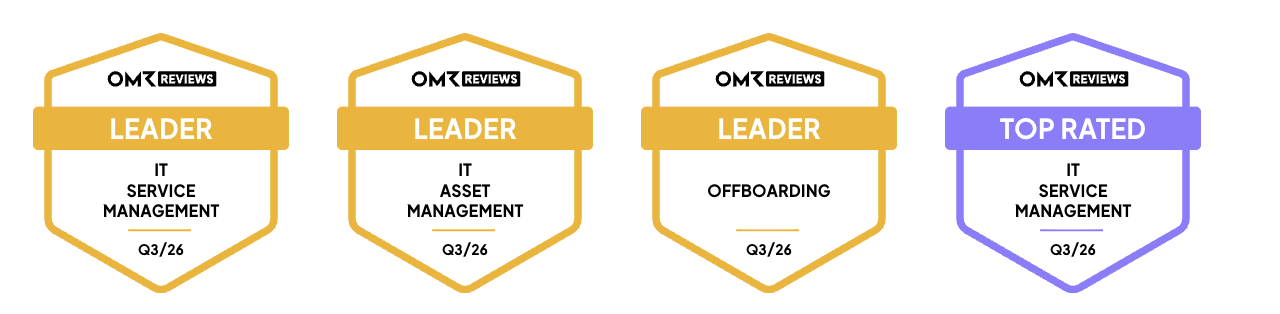
Users see it the same way: on OMR Reviews, deeploi scores 4.7 out of 5 stars from 46 reviews (as of July 2026) and has been named a Leader in IT Asset Management, Offboarding and IT Service Management.The numbers from real deployments show what this means in practice: ease cut onboarding time from up to two hours down to five minutes. Instaffo reduced IT costs by 75% and manual IT workload by 97%.
The numbers from real customers show what this means in practice: ease cut onboarding time from up to two hours down to five minutes. Instaffo reduced IT costs by 75% and manual IT workload by 97%.
{{quote}}
Conclusion: the right IT model for your business
Both models are legitimate, because they solve different problems at different stages of IT maturity.
- MDM is the right tool when you want to manage devices centrally and you have the person or the expertise to run it.
- Managed IT services pay off when your IT has become complex enough to need continuous operation, ongoing monitoring and strategic guidance.
For most companies without an IT department, the honest answer is this: neither model alone is the best fit. An MDM tool without support leaves you stranded the moment a human needs to step in. A full MSP contract exceeds the needs and the budget of a company that mainly wants its devices managed safely.
deeploi closes that gap: automated device management, personal IT support, preconfigured devices and GDPR coverage in one platform, priced transparently per employee. Built for teams that want IT off their plate or that work without an IT team of their own.
{{cta}}
FAQ
What is the difference between MDM and managed IT services for a company without an IT department?
MDM is software for managing endpoints centrally, covering setup, updates and remote wipe. Managed IT services are a broader service relationship with an external partner who takes over support, monitoring, backup and security. For companies without an IT team, MDM alone often falls short, because human support is missing and running the platform assumes technical expertise. deeploi combines both layers in one platform, so you do not have to organise device management and personal support separately.
Can MDM replace IT support?
No. MDM manages devices, but it does not respond to user problems. When a laptop freezes, a colleague cannot get into her account, or a printer stops working, the MDM tool has no answer. For those cases you need either internal staff or a provider with a support team. Platforms like deeploi bring both together in one interface, so device management and personal support run in the same place and nobody is left alone with a problem.
Do I need MDM if I already use Microsoft 365 or Google Workspace?
In most cases, yes. Microsoft 365 and Google Workspace manage accounts, email and access, but not the devices themselves. For setup, security updates, encryption and remote wipe on laptops and smartphones, you need device management. deeploi integrates directly with Microsoft 365 and Google Workspace and adds the missing device layer to your account management, so both run through one interface.
When is an MDM tool worth it, and when do I need a managed service provider?
MDM starts paying off at around 10 devices and becomes effectively non-negotiable past 25, provided you have technical staff to run the platform. A managed service provider makes sense when your IT infrastructure grows more complex (servers, cloud, multiple locations) or when there is no internal IT expertise at all. For many smaller companies, an all-in-one platform that combines MDM and support is the better choice than running both systems separately.
What happens to company data on an employee's device after offboarding without MDM?
Without MDM there is no remote wipe, no automatic revocation of access, and no verifiable data deletion after someone leaves. That is a concrete GDPR risk, because company data stays on personal or returned devices and accounts remain open. With a platform like deeploi, offboarding runs automatically: the device is reset, access is revoked and the data is deleted within minutes.