









Direct Answer
The best Atera alternative depends on your setup: technical IT teams may prefer NinjaOne or Syncro, while complex environments can benefit from ConnectWise or ManageEngine. For SMBs without a dedicated IT team, deeploi is the stronger alternative because it takes over IT operations, support, device management and onboarding instead of giving you another RMM tool to operate yourself.
Key Takeaways
- Atera is a good tool for MSPs with technically skilled technicians, a manageable endpoint volume, and a strong focus on PSA integration.
- Why are companies looking for Atera alternatives? The most common frustrations with Atera involve hidden add-on costs and unreliable patching.
- Two decision paths: Teams with in-house IT expertise can be well served by a classic RMM tool like NinjaOne or Syncro. Those who want to reduce IT overhead and focus on their core business benefit from an all-in-one solution like deeploi.
- deeploi is the right choice for companies without their own IT department: deeploi takes over your entire IT as an all-in-one solution – with automation, human support, and transparent pricing.
The 5 best Atera alternatives in 2026 compared
Atera is a well-established RMM and PSA platform with a strong feature set – a solid choice for technically proficient IT teams and MSPs. But depending on company size, IT resources, and budget, a different solution may be a better fit. We've compared the best Atera alternatives so you can find the one that truly works for your team.
What is Atera and why are teams looking for alternatives?
Atera is a cloud-based RMM and PSA platform that combines remote monitoring, helpdesk, ticketing, and IT automation in a single interface. Companies worldwide use it to manage their IT infrastructure.
Its genuine strengths include an intuitive interface, an all-in-one approach combining RMM, professional services automation, and helpdesk, as well as fast setup. For those with a manageable setup who need PSA integration, Atera offers a solid starting point.
That said, more and more IT teams are looking for an Atera alternative. The reasons are specific and recurring:
Reporting behind a paywall: Advanced reports are only available on higher-tier plans. Audit logs only go back 6 months, and custom reports are missing entirely.
AI Copilot as a paid add-on: Originally included in the feature set, the AI Copilot is now billed separately per technician. According to reviews, costs are rising without a proportional increase in value.
Unreliable patching: OS patching is limited to Windows and macOS. Linux support is plan-dependent and not included in the entry-level plan. User reviews report slow and error-prone patch processes.
Remote access issues: Splashtop connection drops appear as a recurring theme in reviews and affect productivity.
Limited cross-platform support: Linux support is only available on higher tiers. Mobile device management for Android or iOS is completely absent.
Pricing: Atera plans for IT departments start at $149 per month per technician (billed annually). However, features like Advanced Analytics, Network Discovery, and the AI Copilot cost extra. Anyone who actually wants to use all the tools quickly ends up paying well above the entry price.
The 6 best Atera alternatives compared
deeploi: all-in-one IT platform instead of RMM tool
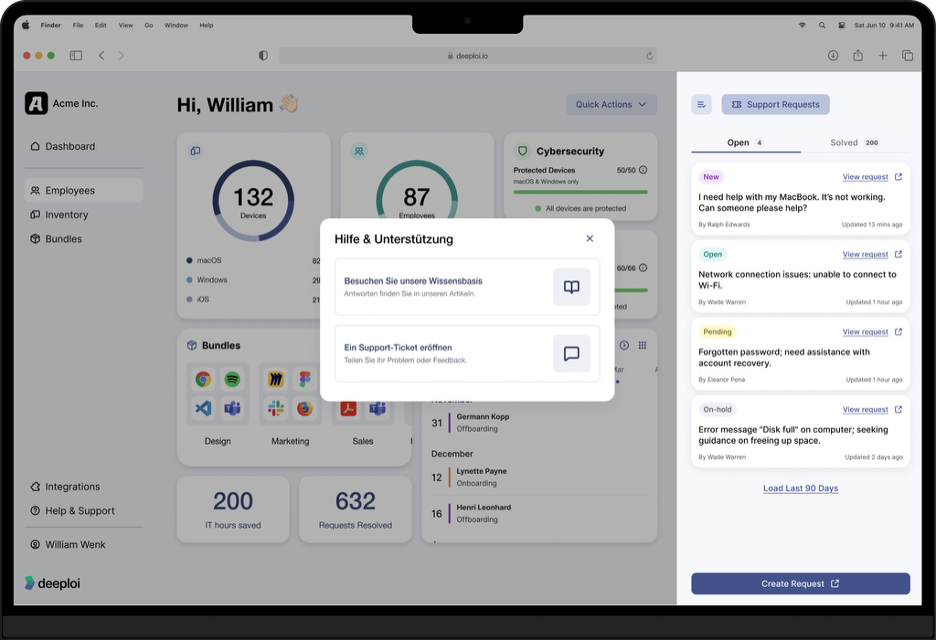
deeploi differs fundamentally from classic RMM software. Rather than giving you a tool you have to run yourself, deeploi takes over your entire IT and relieves your team of the burden. The platform is aimed specifically at SMEs without an IT department, or companies that want to increase their IT team's capacity.
The service scope includes automated on- and offboarding with HR integration (e.g. Personio), zero-touch deployment, patch management, mobile device management with over 300 policies, and cybersecurity powered by SentinelOne and Acronis. This is complemented by an expert helpdesk with an average response time of 12 minutes (SLA: 30 minutes). deeploi is ISO 27001-certified, GDPR-compliant, and offers support in both German and English.
With a rating of 4.8/5 on OMR Reviews and over 200 customers in the DACH region, the platform is purpose-built for the German-speaking market.
Transparent per-user pricing includes all features with no hidden add-on costs – ideal for accidental IT owners such as HR managers, founders, or office leads managing IT on the side.
Pros
- All-in-one IT solution – no in-house IT expertise required
- Transparent pricing with no add-on costs, everything included
- German and English support with an average response time of 12 minutes (SLA: 30 minutes)
Cons
- No Linux support
NinjaOne: scalable RMM with strong patch management
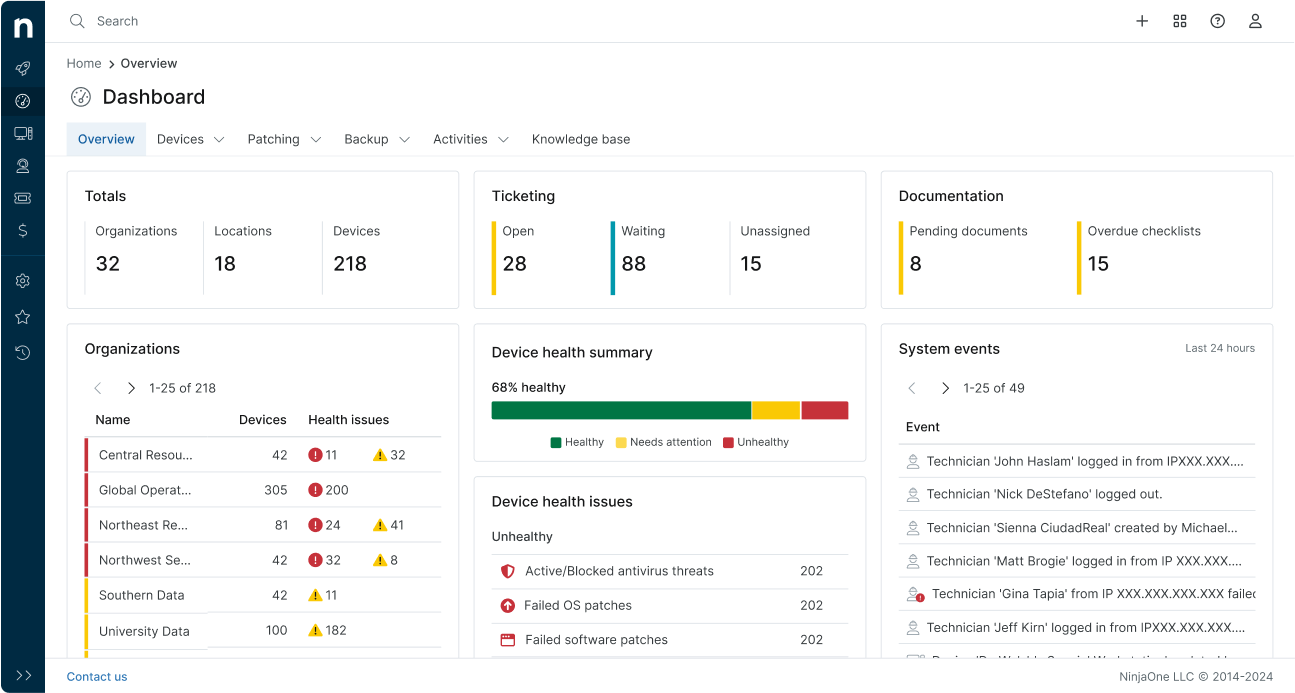
NinjaOne is a cloud-based remote monitoring and management (RMM) platform that gives IT teams and managed service providers centralised endpoint management. The solution offers automated patch management for Windows, macOS, and Linux, as well as support for a wide range of third-party applications. This is complemented by remote access, monitoring, and an integrated ticketing system.
Unlike classic PSA-RMM combinations, NinjaOne doesn't offer a fully integrated PSA suite – but it integrates via APIs with common PSA tools like Autotask or HaloPSA. This keeps the platform flexible, though it requires additional tools for comprehensive service management and billing when needed.
Pricing is typically available on request and based on the number of managed devices. NinjaOne is particularly well suited to IT teams and MSPs looking for a powerful, scalable RMM with broad OS support and solid automation.
Pros
- Strong patch management including third-party and Linux support
- Intuitive interface with high performance
Cons
- No fully integrated PSA solution
- Less suitable for small teams
Rating: 4.7/5 (OMR)
Syncro: unlimited endpoints per technician
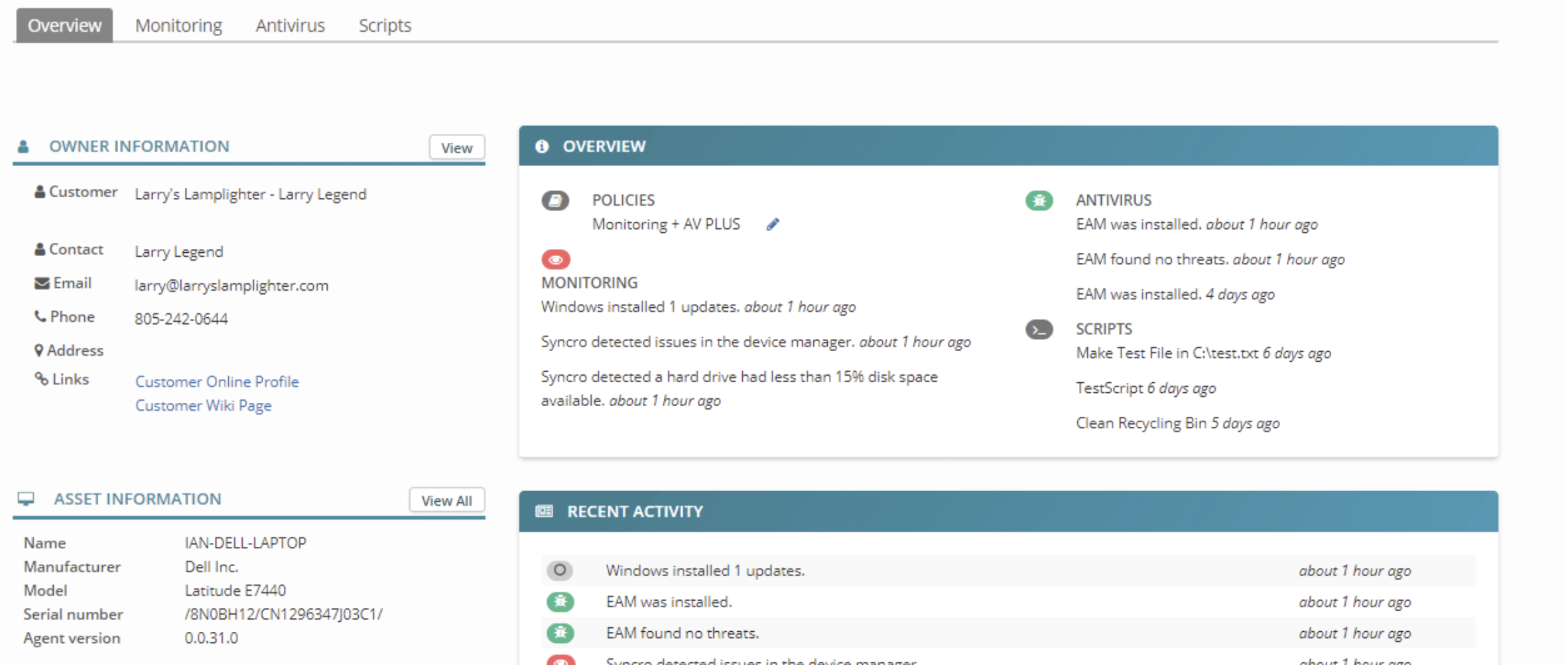
Syncro follows the same core principle as Atera: a per-technician model with no endpoint limit. Entry pricing is transparent and cancellable monthly. The decisive advantage over many alternatives is the integrated PSA with helpdesk, ticketing, and billing in one platform. For solo MSPs and small IT teams who don't want to juggle multiple tools, that's a clear plus.
Pros
- Unlimited endpoints per technician, cancellable monthly
- Integrated PSA with helpdesk and billing
- Strong automation capabilities for routine tasks and recurring processes
- Good value for money for smaller MSPs with limited budgets
Cons
- Less feature depth than enterprise RMM solutions
- Less modern UI, smaller user community
- Limited DACH localisation and primarily English-language interface
Rating: 4.5/5 (G2)
ConnectWise Automate: enterprise RMM with a learning curve
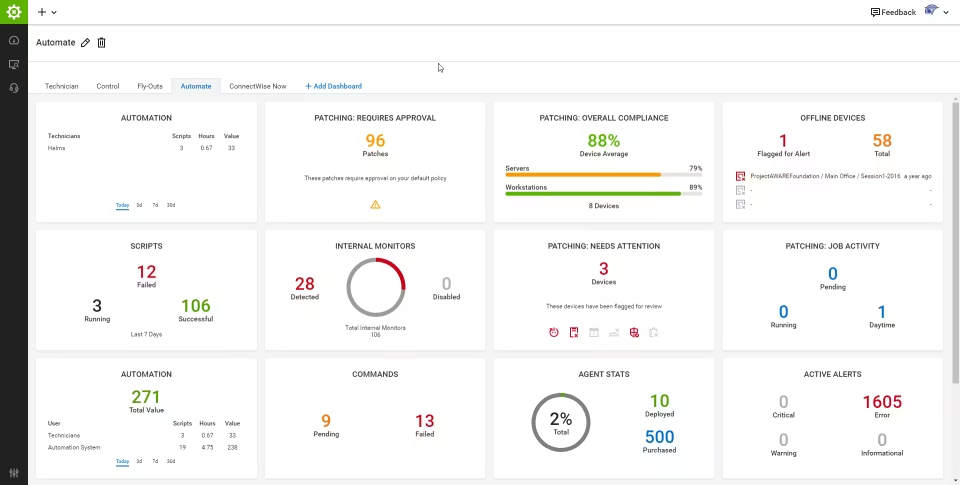
ConnectWise Automate targets larger MSPs with 500+ endpoints that need maximum customisability. The platform offers policy-based automation, AI-assisted scripting, and NOC integration. Anyone managing complex IT environments who needs deep control over every process will find the right features here.
The trade-off is a steep learning curve. Implementation is demanding, integration is complex, and for small teams the solution is simply over-engineered. Individual quotes in the upper price segment make ConnectWise Automate an investment that only pays off above a certain company size.
Pros
- High customisability and policy-based automation
- NOC integration for complex IT environments
Cons
- Complexity and high implementation costs
Rating: 4.1/5 (G2)
ManageEngine Endpoint Central: on-premise option
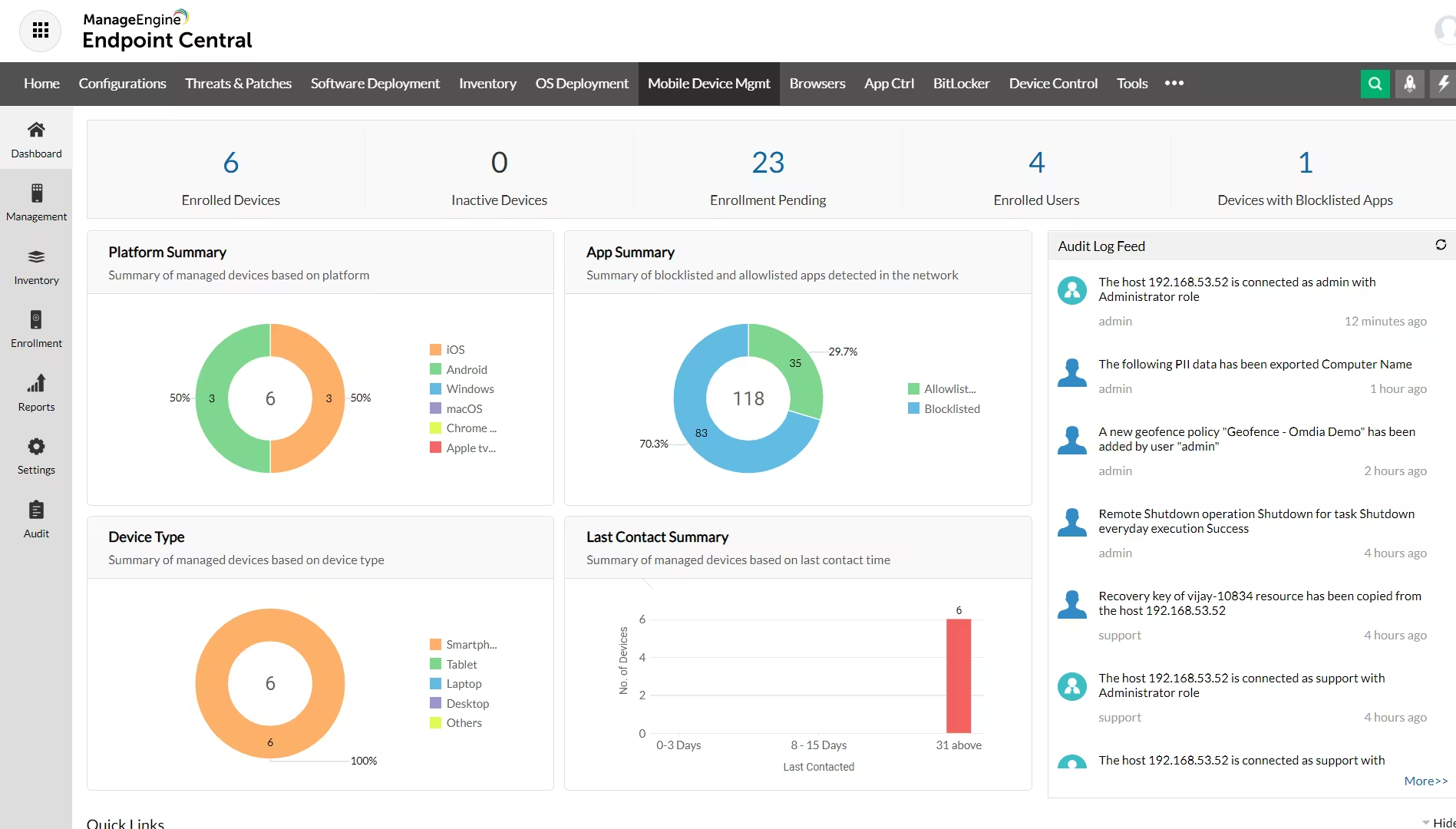
ManageEngine Endpoint Central offers something few alternatives can: full on-premise deployment alongside the cloud option. For companies with strict data residency requirements – such as those in the financial sector or critical infrastructure operators – this is a decisive factor. Add to that broad OS support (Windows, macOS, Linux), strong patch management with supported third-party apps, and an extensive feature suite.
The downside: setup is complex, the interface is less intuitive than more modern tools, and operations require dedicated IT personnel. Endpoint Central is ideal for organisations that need to keep data strictly on-premise and have an experienced IT team.
Pros
- Very comprehensive feature set for complex environments with diverse requirements
- On-premise deployment for full data control
- Broad OS support and extensive patching
- Fast support
Cons
- Complex setup, requires dedicated IT personnel
- UI less intuitive than cloud-first solutions
Rating: 4.5/5 (G2)
Pulseway: mobile-first RMM for managing on the go
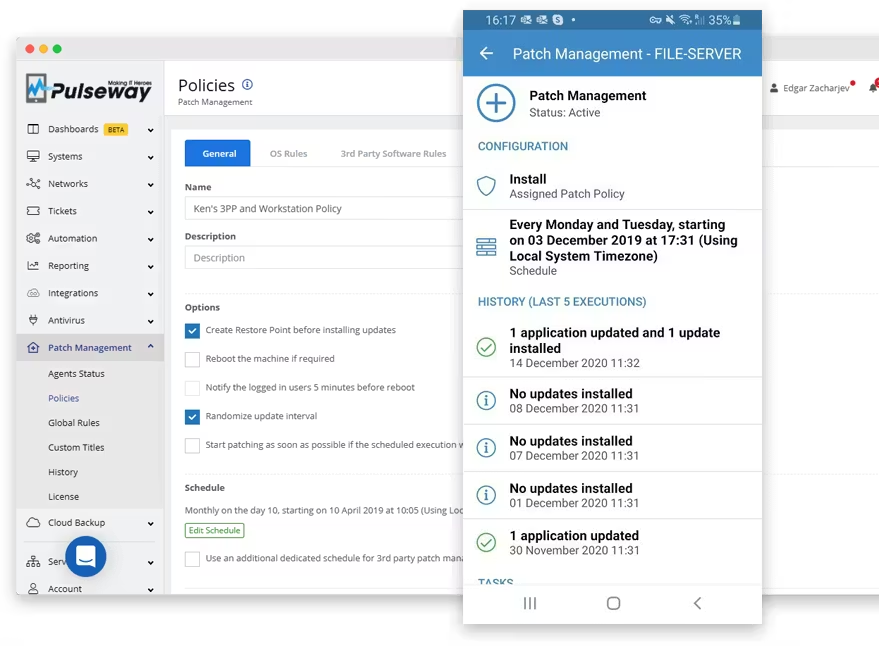
Pulseway is built around mobile management. The smartphone app enables real-time monitoring, push notifications, and remote control directly from your phone. IT freelancers or small MSPs who are frequently on the move and need to resolve issues immediately will find a solution optimised exactly for that use case. The per-device pricing model keeps entry costs manageable.
Compared to desktop-first solutions like NinjaOne or ConnectWise, the feature set is more limited. Automation capabilities are more restricted, and the community is smaller – which means fewer resources to draw on when specific problems arise. Pulseway works best for mobile IT professionals with a manageable endpoint volume.
Pros
- Good mobile apps for iOS and Android with a well-thought-out user experience
- Fast troubleshooting via remote access
- Real-time monitoring with push notifications
Cons
- Narrower feature set than desktop-first RMM solutions
- Fewer automation capabilities
Rating: 4.6/5 (G2)
What should you look for in an Atera alternative?
Before comparing individual tools, ask yourself a more fundamental question: do you want to run RMM software yourself, or hand over your IT entirely? The answer determines which category of solution is even relevant for your company.
The rule of thumb: anyone with 3 or more technicians on the team who are comfortable with scripting will be well served by a classic RMM like NinjaOne or Syncro. Anyone managing IT on the side as a founder or office lead benefits from a managed IT partner like deeploi.
Not sure which solution fits?In a short conversation, you can find out whether deeploi is the right choice for your company.Book a call now →
Why deeploi could be the right Atera alternative for your company
The typical frustrations with Atera can't be solved by a better RMM tool. They require a fundamentally different approach. Rather than giving you another platform to run yourself, deeploi takes care of your entire IT – so you don't have to.
What this means in concrete terms for your company:
- Onboarding in 3–5 minutes instead of 2–3 hours, through HR system integration (e.g. Personio) and zero-touch provisioning
- Support response time avg. 12 minutes with an SLA of 30 minutes, directly through the expert helpdesk
- GDPR-compliant and ISO 27001-certified as a German provider with a focus on the DACH region
One important note: if you're an SME without your own IT team looking for an Atera alternative, you shouldn't be evaluating the next RMM tool. Instead, consider whether an all-in-one solution is the better decision for your company.
Find the Atera alternative that truly fits youLet's find out together whether deeploi is the right solution for your team.Get in touch now →
Conclusion: the right Atera alternative for your company
The best Atera alternative depends on how your company is set up. MSPs with a technical team benefit from NinjaOne or Syncro. Enterprise MSPs with complex requirements turn to ConnectWise Automate. Companies with strict on-premise requirements find the right fit in ManageEngine Endpoint Central. And mobile IT freelancers manage their devices most efficiently with Pulseway.
But companies without a dedicated IT department face a more fundamental question: does your company really need another RMM tool that someone has to run? Or is an all-in-one solution like deeploi the smarter choice? Anyone who doesn't want IT to become a full-time job will find a shorter path to their goal with deeploi.
FAQ
Does an SME without an IT department need an RMM tool?
Not necessarily. RMM tools require IT expertise for setup, scripting, and ongoing maintenance. Without a dedicated IT team, an all-in-one solution like deeploi is often the better choice. The operational work sits entirely with the provider – not with you – so you can focus on your core business.
Which Atera alternatives are GDPR-compliant and hosted in the DACH region?
deeploi is GDPR-compliant, ISO 27001-certified, and specifically aligned with the DACH region. NinjaOne and ManageEngine Endpoint Central also offer GDPR compliance, but host primarily on international infrastructure. Companies with strict data residency requirements should carefully review the hosting locations of each provider.
Can I migrate ticket history and scripts from Atera?
Ticket history cannot be transferred automatically to most alternatives. A CSV export from Atera is possible, but whether it can be imported depends on the target system. Scripts generally need to be adapted manually, as each platform uses its own scripting engine.

.jpg)

