









Direct Answer
Automated offboarding ensures that on the last working day all accounts are revoked, all SaaS licences are reclaimed, and the company device is remotely wiped or locked - without anyone needing to remember to do it manually; deeploi triggers this process automatically as soon as a departure date is entered in the HR system, reducing the effort from 2-3 hours to 2-5 minutes.
Key Takeaways
- Offboarding software automates the exit process: It revokes access, deletes accounts, transfers employee data, and automatically documents every step.
- Manual offboarding involves significant security risks: Forgotten access to emails, cloud storage, and sensitive systems puts company data at risk and creates attack surfaces.
- Automation saves time and money: Companies avoid unnecessary license costs from inactive accounts and regain valuable working time that would otherwise be spent on manual HR tasks.
- deeploi offers full onboarding and offboarding automation without IT expertise: The all in one platform reduces IT workload by up to 98 %, integrates with leading HR systems, and provides fast human support.
The 4 best offboarding software solutions in 2026 compared
An employee leaves the company, yet access to sensitive cloud systems, emails, and customer data remains active for weeks? What may seem like a small oversight can have serious consequences. Security gaps open the door to data misuse, unnecessary license costs add up to thousands of euros, and compliance violations can result in substantial fines. The solution is professional offboarding software that automates, standardizes, and fully documents the entire process.
Why do companies need offboarding software?
Employees often have access to dozens of tools, cloud services, and devices. Manual offboarding creates cognitive strain over weeks or months: IT managers must remember which accesses need to be revoked and when, which licenses must be canceled, and which data needs to be transferred. This mental load inevitably leads to errors, delays, and security gaps.
This is exactly where modern software solutions come in by eliminating these sources of error and replacing manual administration with digital precision. As a result, companies gain clear strategic advantages:
- Time savings: Effort decreases from several hours per employee to just a few minutes.
- Security and compliance: Immediate access revocation prevents unauthorized entry into company data. Complete documentation is essential for GDPR audits and certifications.
- Financial efficiency: Automatic cancellation of unused SaaS licenses protects the budget and reduces the risk of shadow IT, meaning software that is purchased or used without central visibility or approval.
- Standardization: Every process follows a fixed structure, regardless of department.
Companies with 30–300+ employees benefit significantly from professional offboarding software, as the complexity of manual administration increases exponentially at this scale.
The 3 biggest risks of manual offboarding
Manual offboarding involves significant risks that companies often underestimate.
.jpg)
Security risk
Former employees with active access to emails, cloud storage, and customer data represent a security risk. Accounts often remain active for weeks or even months if they are not manually deleted. Especially in remote teams, maintaining control without software is difficult.
- Data breaches: Sensitive company information can leak or be misused.
- Unauthorized access: Former employees continue to have access to confidential systems and documents.
- Potential sabotage: Dissatisfied former employees could use active access to cause damage.
- Reputational damage: Security incidents caused by forgotten accounts can permanently harm the company’s image.
Modern IT solutions like deeploi automatically revoke all access at the defined time and consistently close this security gap.
Compliance violations
The GDPR requires timely data deletion, ISO 27001 demands documented processes, and industry specific regulations in the finance and healthcare sectors impose strict offboarding standards. Manual processes are prone to errors and difficult to track, which can become legally expensive.
- Fines for data protection violations: GDPR violations can result in penalties of up to 4 % of annual revenue.
- Missing audit trails: Without complete documentation, offboarding processes cannot be proven during audits.
- Incomplete documentation: Manual processes leave gaps that become problematic during inspections.
- Certification issues: ISO 27001 and similar standards require verifiable, standardized processes.
Automated offboarding solutions provide decisive support here: They document every step seamlessly and meet top standards such as GDPR and ISO 27001 without manual follow up.
Unnecessary license costs due to inactive accounts
SaaS licenses are usually priced per user and generate ongoing fixed costs. If accounts are not deactivated immediately after an employee leaves, companies continue to pay for services that no longer provide value. These hidden costs quickly add up to significant amounts when many tools are in use.
Concrete calculation example: 5 forgotten accounts at €100 per month = €6,000 loss per year.
Typical examples of forgotten tools during offboarding:
- Communication platforms: With Slack and similar services, fees are often charged for every active user and continue even after departure.
- Office suites: Subscriptions for Microsoft 365 or Google Workspace often consist of monthly or annual licenses that must be adjusted manually.
- Project management tools: Applications such as Asana, Monday, or Jira often remain active unnoticed because they are used across different departments in a decentralized way.
- CRM systems: Access to sales related software such as Salesforce or HubSpot must be terminated immediately, not only for cost reasons but also to protect sensitive customer data.
Offboarding software comparison: The 4 best solutions
The market offers a wide range of solutions for professional offboarding. The selection ranges from specialized tools to comprehensive all in one platforms. Which software is the best fit depends on company size, IT infrastructure, and specific requirements.
deeploi
deeploi is a holistic IT platform that covers the entire employee lifecycle, including offboarding. How it works: As soon as a termination date is entered into the HR system, the offboarding process in deeploi starts automatically. Data is only deleted if this option is explicitly selected. IT managers define the required next steps in the dashboard, for example deleting accounts, archiving data, or setting up email forwarding. After confirming these options, deeploi executes the process automatically.
Strengths:
- No IT expertise required
- Cognitive relief through full automation
- To-do-based approach: Instead of binding users permanently, the platform only requires attention when action is needed
- Dashboard provides full transparency on progress
- Holistic approach: deeploi supports the entire device lifecycle and automates numerous IT processes, not just offboarding
- 100 % human support
Weaknesses:
deeploi is primarily optimized for the European market. Companies with teams outside Europe (e.g. USA, Latin America) should note that support hours are aligned with the German time zone and hardware procurement outside Europe may be limited.
Target group: Companies with 30–300+ employees without an internal IT department, as well as companies with IT teams that want to automate routine tasks.
Customer rating: ⭐ 4.8/5 (OMR Reviews)
Deel
Deel is a global HR and payroll platform with integrated offboarding features, primarily designed for international teams and contractor management. The solution focuses on the legal and compliance aspects of offboarding rather than IT processes. Deel automates contract terminations, manages payroll until the last working day, and ensures compliance. Its document management supports legally secure processes across countries.
Strengths:
- Suitable for international teams: Compliance and legal security in 150+ countries
- Integrated payroll: Seamless payroll processing until the last day
- Legally compliant contracts: Country specific templates and automated processes
- Multi currency support: Billing in different currencies without issues
Weaknesses:
- Less IT focused
- No deep integration with IT tools such as workspace or device management
Target group: Companies with many international employees or freelancers.
Customer rating: ⭐ 4.3/5 (OMR Reviews)
Panvision
Panvision is a specialized workforce management solution with a focus on time tracking, shift planning, and HR processes. Its offboarding features include document workflows, checklists, approval processes, and integration with HR systems. The software primarily targets companies with established HR structures.
Strengths:
- Customizable offboarding workflows: Flexible configuration based on company requirements
- Task management: Structured distribution of responsibilities
- Document archiving: Central storage of all relevant documents
- Reporting: Clear overviews of offboarding processes
Weaknesses:
- No automatic IT integration
- Does not cover workspace management or license management
- Primarily HR focused with less automation than specialized IT tools
Target group: Larger companies with established HR processes and a need for workflow management.
Customer rating: Currently not available.
Joinpoints
Joinpoints positions itself as a workflow and project management software with HR features. Offboarding is part of the broader workflow system. The solution offers task management for offboarding, automated notifications, document management, and CRM integration. The approach is flexible but requires manual configuration.
Strengths:
- Flexible workflow creation: Customizable processes for different company requirements
- Project management focus: Offboarding as part of larger project structures
- Collaboration tools: Cross team collaboration and communication
- Customizable templates: Predefined templates for a faster start
Weaknesses:
- Not a specialized offboarding solution
- Manual configuration required
- No native IT tool integration
- IT knowledge required for setup
Target group: Smaller companies looking for a flexible HR workflow solution for various processes.
Customer rating: ⭐ 4.8/5 (OMR Reviews)
What do companies need to consider during offboarding?
Successful offboarding requires systematic planning and consideration of various aspects. The three essential areas – access revocation, data deletion, and software licenses – determine the security, compliance, and cost efficiency of the entire process.
Access revocation
Access revocation is the most important security step in offboarding. Employees typically have access to email accounts, cloud storage, project management tools, CRM systems, and VPN connections. Timing is critical: Access should be revoked on the last working day or at a clearly defined point in time.
The challenge: With 10 or more tools, a complex web of dependencies emerges. Which account must be deleted immediately? Which should remain archived for three months? When do specific licenses expire? This mental load over weeks or months leads to errors and forgotten access.
Automated solutions like deeploi revoke all access centrally and simultaneously. Time delayed actions (e.g. account deletion after 3 months) are also executed automatically, without IT managers having to remember them.
Data deletion
Data protection and GDPR compliance are at the core of data deletion. Personal data must be deleted after defined retention periods, while company data must be secured and transferred. Striking the right balance between data protection and business continuity is the key challenge.
The transfer of data to a successor or manager should take place before the account is deleted. deeploi automates this transfer: IT managers simply select the recipient, and the system handles the migration.
Software licenses
Software licenses are often tied to individual users and must be actively canceled or reassigned. Without centralized tracking, companies quickly lose oversight and continue paying for inactive accounts.
Typical license types at a glance:
- Named user licenses: Tied to individual users, can be canceled immediately after departure
- Concurrent user licenses: Automatically released once the user no longer logs in
- Annual licenses: Notice periods must be observed, often 3 months before expiration
- Monthly subscriptions: Can be canceled at the end of the month, ideal for flexible workforce planning
- Add ons and extensions: Often overlooked, but additional cost drivers
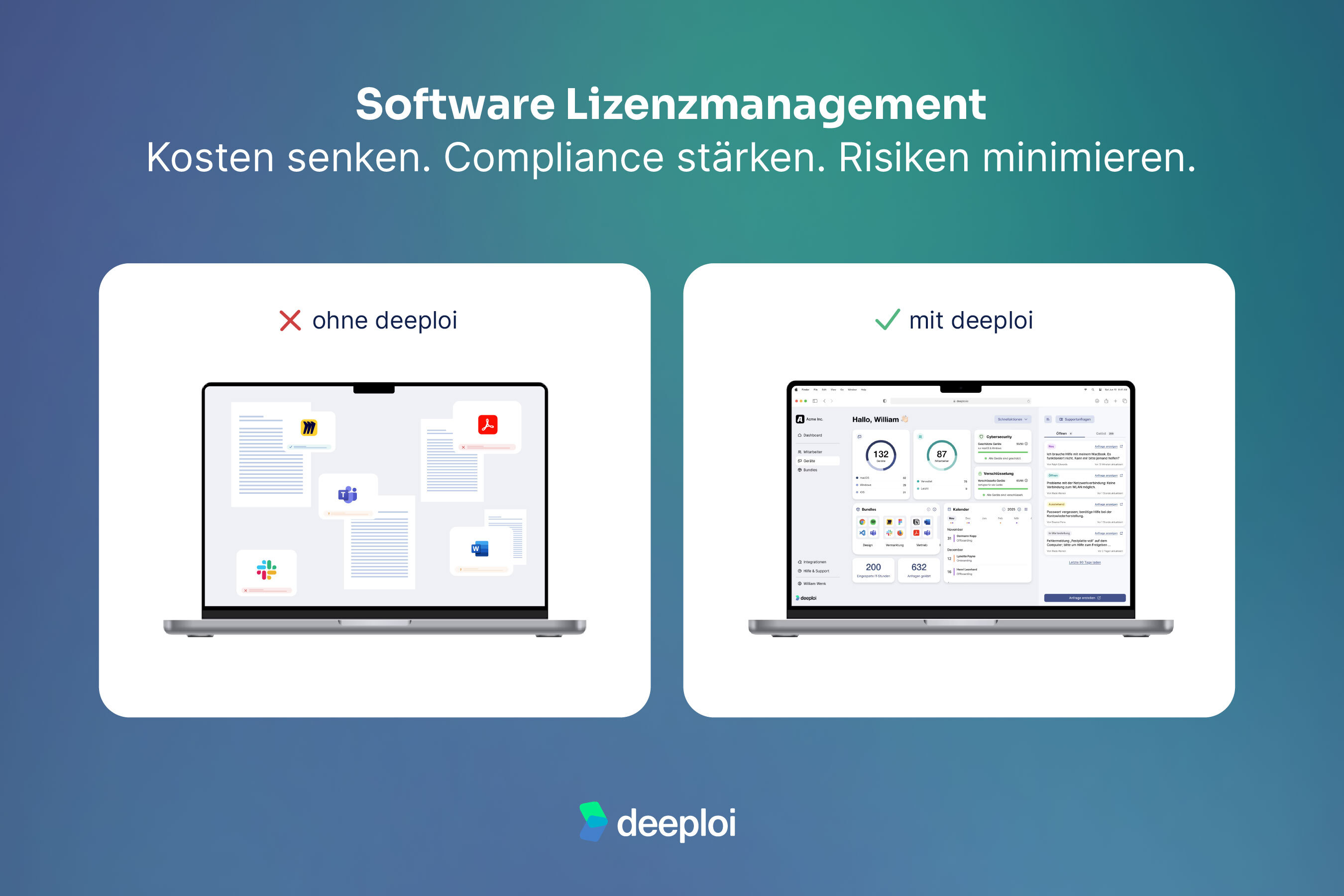
deeploi tracks all licenses centrally. During offboarding, SaaS accounts are automatically canceled or reassigned, without manual follow up. This saves time and eliminates forgotten costs.
How deeploi automates offboarding
Many companies try to digitize their existing manual offboarding processes 1:1, including all inefficiencies and unnecessary approval steps. Modern offboarding software like deeploi makes it possible to fundamentally simplify processes and eliminate redundant steps.
The offboarding process with deeploi starts automatically as soon as the HR system (e.g. Personio) reports a termination date. In the deeploi dashboard, IT managers easily select the desired options: delete or archive accounts, set up email forwarding, define the recipient for data transfer, and manage SaaS accounts. After that, the entire process runs automatically.
The automated steps after configuration:
- Downgrade workspace license: Google Workspace or Microsoft 365 is automatically set to inactive
- Activate email forwarding: Incoming emails are forwarded to the defined successor
- Transfer data to successor: Documents, calendar entries, and important files are transferred
- Deactivate SaaS accounts: All connected applications are centrally deactivated
- Prepare devices for return: Remote lock is activated, and the device is ready for return
The only manual action required – if necessary – is confirming device return. Everything else is handled by the system. This means no more months of remembering which accounts still need to be deleted or which licenses must be canceled. The system keeps track of everything and executes each step at the right time.
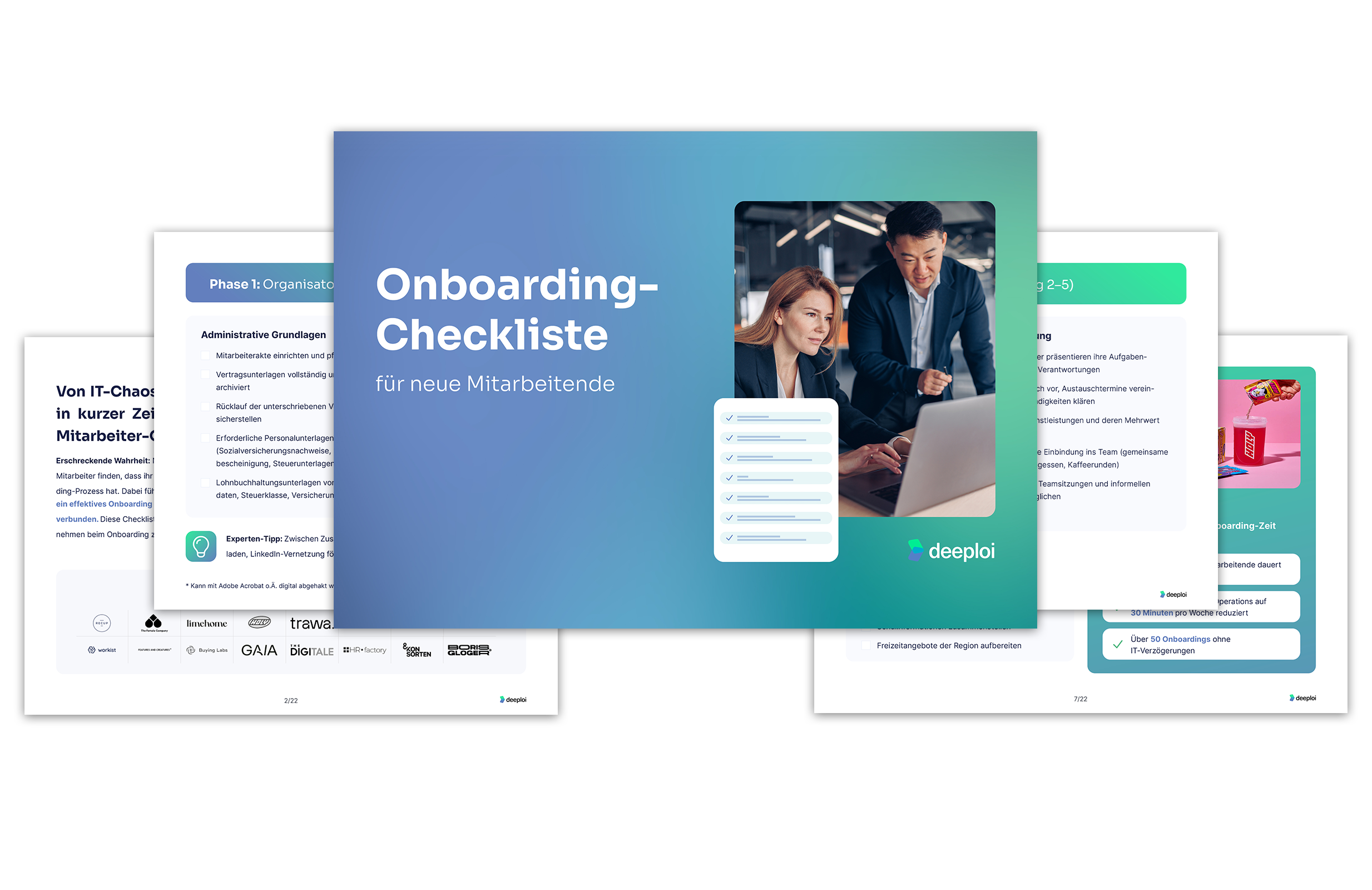
Onboarding and offboarding in minutes instead of hours. deeploi automates the entire employee lifecycle, from the first login to the last working day.
Conclusion: The right offboarding software for your company
Modern offboarding software supports the digitalization of HR administration: It connects onboarding and offboarding into a seamless process where all HR tasks are centrally managed. The goals are clear: time savings, security, and compliance with every employee transition.
While the ideal solution depends on your company’s specific requirements, most businesses benefit significantly from integrated approaches like deeploi. The platform seamlessly connects IT offboarding with device management and IT support, creating a central point of contact for all digital processes. A trial phase or personal demo will help you find the best solution for your specific needs.
In this comparison, deeploi stands out in particular due to its fast implementation and its ability to complete a full offboarding in just 2 to 5 minutes instead of several hours.
Automate onboarding and offboarding, protect employee data, and achieve your goals:
✅ 95 % fewer manual HR tasks
✅ Full digitalization without IT expertise
✅ Centralized management of all information
FAQ
What is the difference between HR software and offboarding software?
HR software providers manage administrative HR processes such as personnel files, contracts, and payroll. Offboarding software focuses on the IT aspects of employee departures: access revocation, device management, license management, and data transfer.
The ideal setup is an integration of both systems: The HR system reports the termination date and automatically triggers IT offboarding. Modern all in one platforms like deeploi cover both areas or integrate seamlessly with existing HR tools such as Personio, HiBob, and others.
How can I automate IT onboarding and offboarding?
Automation works in three steps: connect your HR tool, define access rights, and start automation. Modern platforms like deeploi then fully automate account creation and deletion, license management, device configuration, and data transfer.
Setup takes only a few days, but delivers long term time savings and reduces errors. Automating IT onboarding and offboarding in practice means 2–5 minutes of input instead of 2–3 hours of manual work per employee.
Is automated offboarding secure?
Yes, automated offboarding is significantly more secure than manual processes. It prevents forgotten access through consistent workflows, provides complete documentation for audits, and revokes access at defined times.
Manual offboarding, by contrast, carries a higher risk of errors and security gaps due to human oversight. It is important to use certified platforms such as deeploi with ISO 27001 certification and GDPR compliance. Servers in Germany provide additional data security.
How fast does offboarding work with deeploi?
The input takes 2–5 minutes: IT managers select the desired options – for example deactivating accounts, archiving email inboxes, revoking access to cloud tools, or canceling licenses – and confirm them. No need to worry: Data does not have to be deleted by default. IT managers decide which steps should be executed.

.jpg)

