.jpg)









Direct Answer
IT process automation takes over repetitive tasks such as onboarding, device and software management, access control, and updates, reducing manual IT effort by up to 95%. Especially for growing companies without an in-house IT department, solutions like deeploi improve efficiency, security, and scalability without increasing IT workload as the company grows.
Key Takeaways
- Dramatic time savings: IT automation cuts manual effort by up to 95%. Onboarding takes 3–5 minutes instead of 2–3 hours, which frees your team to work on things that actually move the business forward.
- Serious cost reduction: companies save up to 75% of their IT costs with automated processes compared to traditional IT service providers or in-house IT admins, and they get faster, better-quality service at the same time.
- Stronger security and compliance: automation removes human error, keeps updates consistent across every device, and makes compliance something you can prove rather than hope for.
- Fully automated IT management: deeploi is an all-in-one platform for automated IT processes, which means far less stress from manual IT work and far more time for growth and innovation.
How much of your team's week goes into setting up new hires by hand, pushing out software updates, or working out who has access to what? In a growing company, IT turns into a bottleneck fast: onboarding takes hours instead of minutes, support requests pile up, and nobody can say with confidence who still has access to which systems. As the company grows, the IT chaos grows with it, unless you put a proper automation strategy in place. This guide shows you how intelligent device management software removes up to 95% of the manual work and turns IT from a brake on growth into an engine for it.
What is IT process automation, and why should your company care?
IT process automation (sometimes shortened to ITPA) means using software to run repetitive IT tasks without anyone having to touch them. Whoever owns IT in your company no longer has to configure every new laptop by hand, distribute every software update individually, or grant access rights one by one. An automation platform handles all of it. Modern IT automation takes the slow, manual routines and turns them into standardized workflows that run on their own.
Where IT automation is used
IT automation applies to almost every area of IT administration. It delivers the most value in:
- Employee onboarding and offboarding, with automatic device provisioning and access management
- Software and patch management, so updates stay consistent across every system
- IT support and ticketing, where automation shortens response times
- Security management, through automated compliance checks and continuous monitoring
- Device and access management from one central system, for full visibility
The benefits of automating IT processes
When you automate the processes behind your business, the improvements are measurable: your team gets hours back, your IT infrastructure becomes safer because the same steps happen the same way every time, and scaling the company is no longer limited by how much IT capacity you have. Automated processes cut human error sharply, improve efficiency across every IT area, and give you visibility into what is actually happening in your environment. The effect is most obvious in fast-growing companies, where manual IT administration becomes a bottleneck almost overnight.
The biggest IT pain points in growing companies
Growth is a good problem to have, but for a lot of companies it turns into an IT nightmare. The processes that worked fine at 10 employees fall apart at 50 or 100. Manual tasks pile up, the IT infrastructure gets murky, and nobody has the full picture anymore. Here is what actually makes life hard for growing teams.
Manual processes eat time and patience
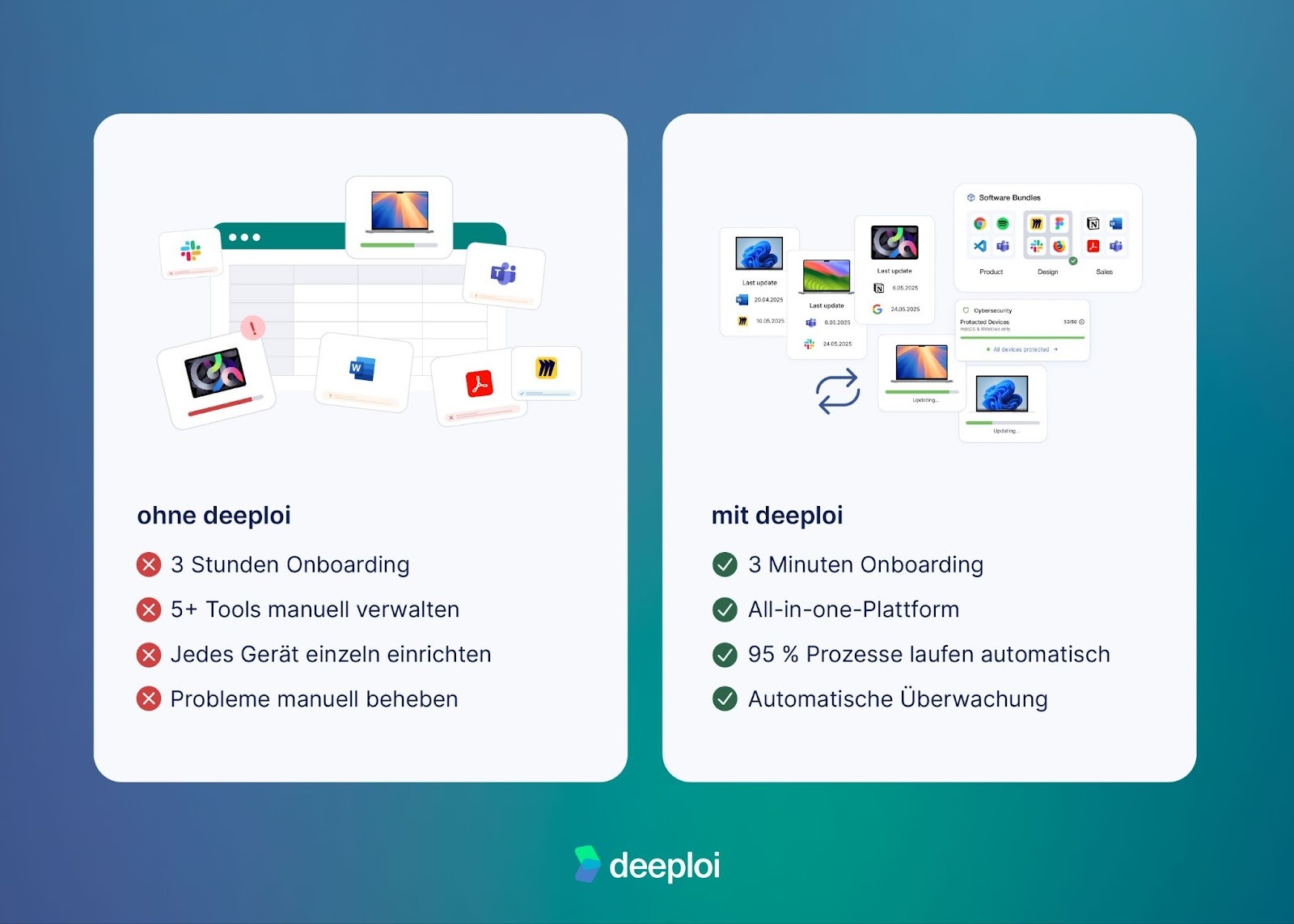
Every new onboarding means ordering a laptop, setting it up, installing software, creating accounts, and assigning permissions. That takes 2–3 hours per person, and neither HR nor whoever owns IT has that time to spare. At ten new hires a month you are looking at 20–30 hours of pure configuration work. Those manual processes tie up resources that should be going into strategic work, so instead of building the company, people spend their days on repetitive admin.
Missing IT expertise becomes a growth barrier
Plenty of growing companies have no IT department at all. Instead, "accidental IT owners" such as office managers, HR leads or even founders handle IT alongside their real jobs. Without IT specialists and without a clear strategy, mistakes accumulate, security gaps go unnoticed, and important updates get forgotten. That missing expertise turns into a real risk for both business operations and compliance.
Tool chaos with no central control
One tool for device management, another for software licenses, another for support tickets, another for security. The result is that nobody has an overview, information is scattered across systems, and every additional tool costs more time to administer and learn. A fragmented IT landscape like this makes it impossible to run IT processes efficiently or optimize workflows.
Security risks from missed updates and unclear access rights
Who still has access to which systems? Have all devices received the latest security patches? In a manually managed environment those questions are nearly impossible to answer. Former employees keep access to sensitive data, outdated software opens up vulnerabilities, and compliance requirements go unmet. On top of that come the tools people install themselves without telling anyone, and the software subscriptions nobody uses but everybody keeps paying for. Without automated processes, network security comes down to luck.
Scaling ties up far too many resources
The more the company grows, the more time IT administration consumes. Growth doesn't get easier, it gets more complex: more devices, more licenses, more support requests, more security exposure. Without automation, IT effort grows linearly with headcount, and often faster than that. Teams get overloaded, workloads climb, and efficiency drops. What was manageable at 20 employees becomes a full-time job at 100, tying up resources your company needs for growth and innovation.
Lost productivity and a to-do list that never ends
While whoever owns IT is busy with routine tasks, the strategic projects sit untouched. The to-do list gets longer rather than shorter. Employees wait on IT support, new colleagues can't get productive, and frustration builds on all sides. These losses compound: every hour spent on manual processes is an hour not spent on work that creates value. What you end up with is inefficient operations, missed opportunities, and a demotivated team.
A poor first impression for new hires
Someone's first day should be inspiring, not frustrating. When new hires wait hours for a laptop, find software missing, or can't log in, that first impression is gone. It looks unprofessional and it costs you motivation. In a tight labor market, a chaotic onboarding can be enough to make good people leave early. deeploi automates exactly these processes and cuts IT effort by up to 95%, so new hires get a professional welcome and can work productively from day one.
Which IT processes can be automated?
The good news is that almost every recurring IT task can be automated. These are the areas where automation delivers the most value.
Employee onboarding and offboarding
The most time-consuming IT process is also the one that automates best. With intelligent automation, a new hire is set up in 3–5 minutes instead of 2–3 hours. Automated onboarding covers:
- Device configuration with no manual steps
- Software installation based on role and department, using predefined workflows
- Access rights assigned according to predefined rules
- Integration with HR systems such as Personio, so HR and IT stay in sync
- Automated offboarding that revokes access and handles device return without leaving gaps
On the offboarding side, automation makes sure every account is properly revoked, devices come back, and data is preserved, with nothing forgotten. It also covers the situations you hope never happen: if a device is lost or stolen, or someone leaves on bad terms, the affected device can be locked or wiped remotely to protect company data. End-to-end process automation like this removes security risk and saves a meaningful amount of working time.
Device and software management
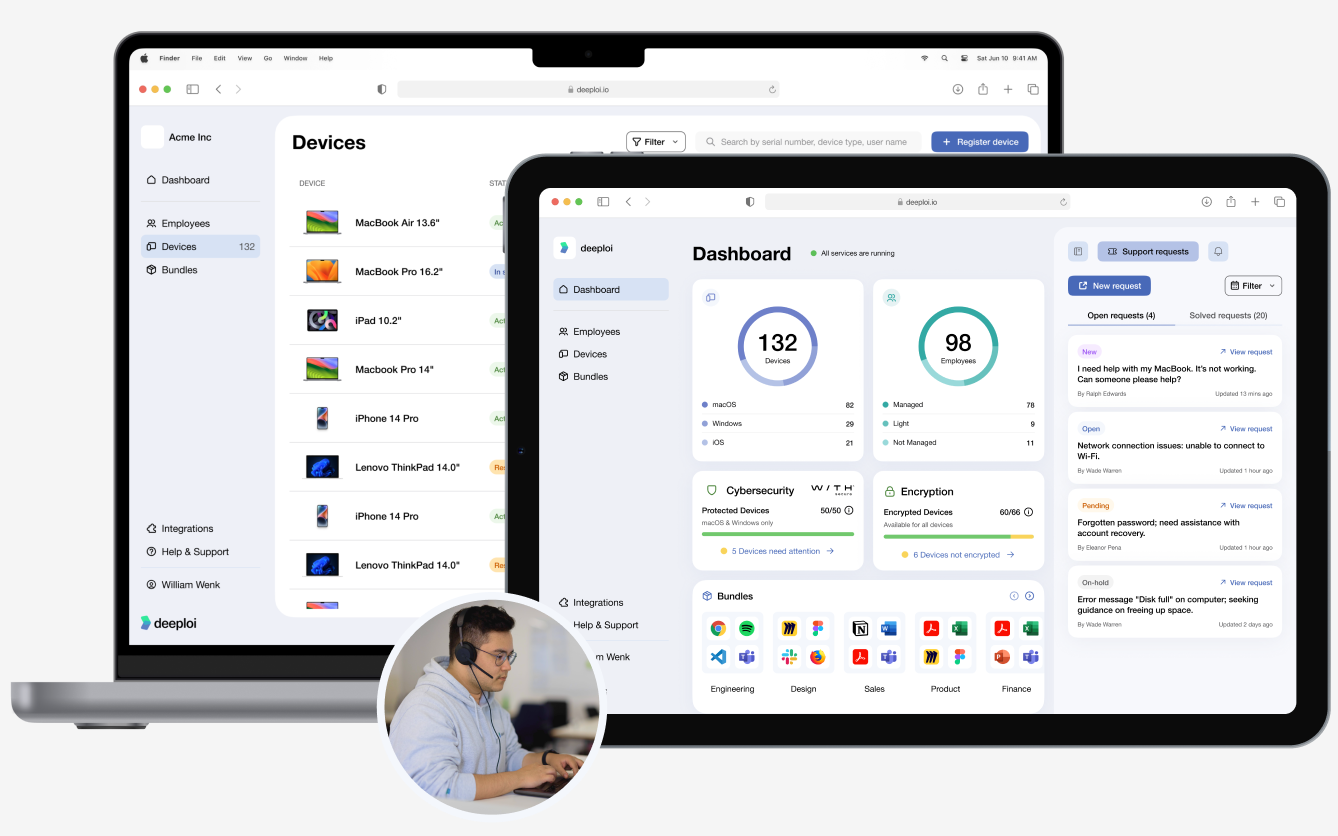
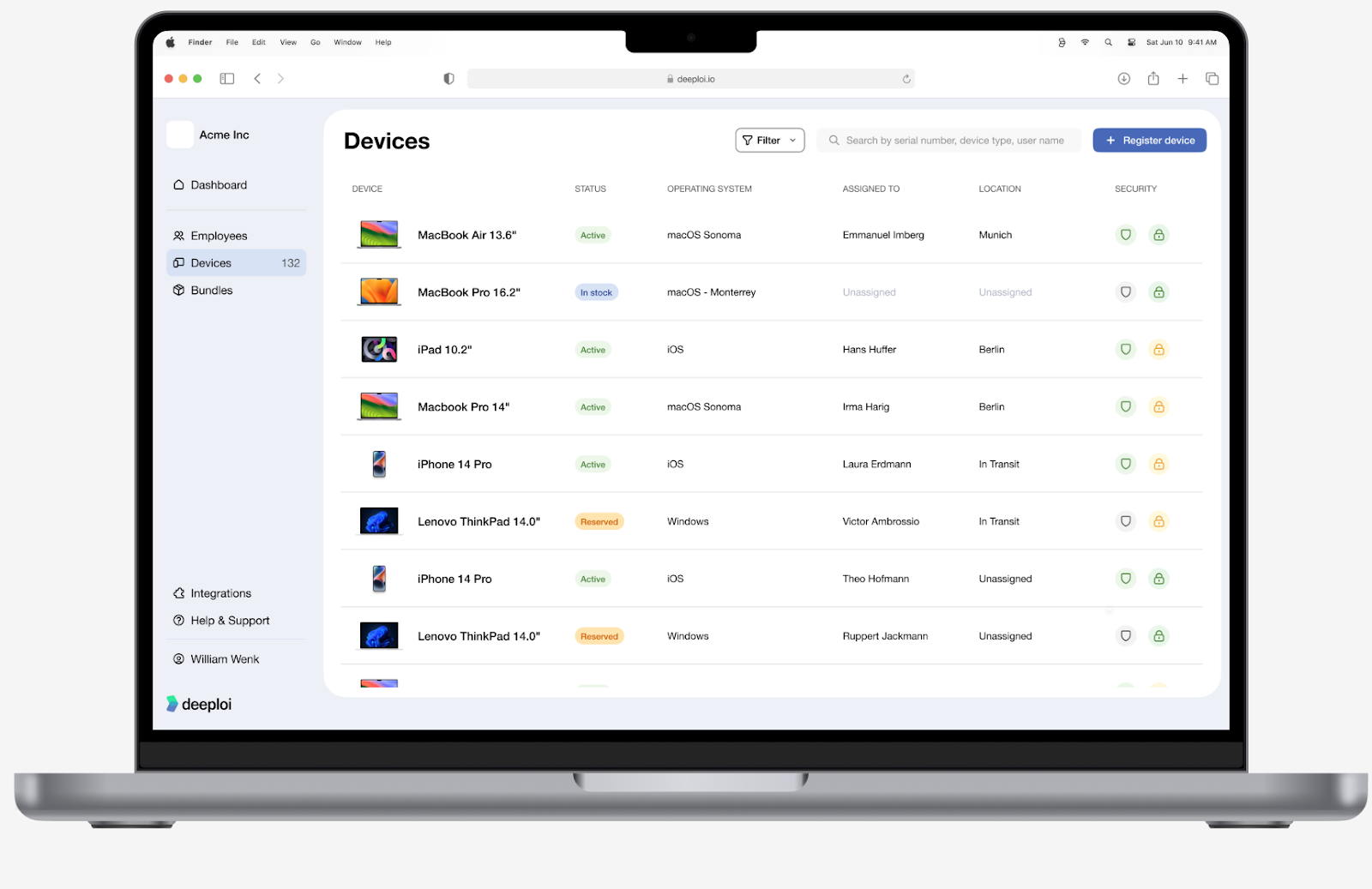
Automated systems take over the administration of your entire IT estate. Mobile device management (MDM) keeps configurations consistent across every device, automated patch management keeps systems current, and software updates are distributed centrally. At the same time, automation gives you structure and visibility: serial numbers, device assignments and the status of every endpoint are captured and tracked automatically. You always know what you own and who has it, without maintaining spreadsheets or running manual inventory checks.
The outcome is an estate where every device is secure, current and GDPR-compliant without anyone doing the work by hand. That reduces errors, and it improves compliance and security across the whole company.
IT support
Automated systems speed up support significantly. A professional IT partner should respond quickly, ideally in under 30 minutes, with a capable support team available when people need help. Preventive measures such as automatic updates and standardized configurations also reduce how many support requests come in at all.
This takes real pressure off your team. Instead of spending hours resetting passwords, untangling access problems or helping colleagues, people can focus on their actual work. You get fewer interruptions, higher satisfaction, and time savings you can measure.
At deeploi, the average response time is 12 minutes, which is considerably faster than traditional IT service providers. Your team gets back to work instead of waiting on IT.
Security and compliance
Automated security processes are more consistent and more reliable than manual checks, because human error is taken out of the loop and standards are applied the same way every time. Cloud automation extends this to the secure management of cloud resources and apps across different environments. The decisive advantage is that nobody has to manually verify whether updates were installed, patches are current, or security policies are being followed. Security and compliance stop depending on chance or on someone remembering, and become systematic instead.
Modern platforms like deeploi let workflows run on their own, from device provisioning through to security monitoring, turning slow manual processes into efficient ones that don't produce errors.
Why all-in-one platforms beat point tools for IT process automation
If you want to automate IT operations, you face one significant decision: separate automation tools for each task, or a single all-in-one platform. The comparison makes the answer fairly clear.
Why put up with fragmented tooling when there is a better option? The table makes the case plainly: all-in-one platforms outperform point solutions on every dimension, from administrative effort through to scalability.
Platforms like deeploi enable end-to-end workflows and consistent processes across every IT area. They bring IT support, security management and device management together in one solution, which means one point of contact, one platform and one price. Instead of spending your time coordinating tools, you spend it on your core business. Central management doesn't just reduce administrative overhead, it also improves data quality and makes your IT operations auditable.
Conclusion: how deeploi automates your IT processes
Automating your IT infrastructure is the foundation for a company that can scale. With up to 95% less manual effort and cost savings of up to 75%, deeploi delivers efficiency gains you can measure.
deeploi combines both halves of the problem in one solution: an intuitive platform that fully automates IT processes from device management through software deployment to security compliance, and a fast, friendly team of IT experts who step in when you need them, with an average response time of 12 minutes. Platform and service, all included. Your IT stops being a potential brake on growth and becomes a strategic advantage, without the fixed cost of building an IT department.
More than 200 companies already run their IT on deeploi and have turned it into a growth engine. Leave the complex manual processes behind and put your focus back on your core business, and we'll take care of the rest.
FAQ
What is IT automation and why do I need it?
IT automation means software handles recurring IT tasks on its own, with no manual intervention. You need it to save time, reduce errors and make IT administration something that scales. In a growing company it becomes a genuine competitive advantage, because manual processes simply cannot keep pace with growth.
Which IT processes can be automated?
Almost every recurring IT task: employee onboarding and offboarding, device and software management, patch management, IT support and ticketing, security updates, access management and compliance checks. Modern platforms like deeploi automate all of it end to end, from ordering a device through to monitoring its security posture. Workflow automation makes your IT operations both faster and more reliable.
What should I look for when automating IT processes?
Look for a single platform rather than a collection of point tools, seamless integration with the systems you already use such as your HR software, and proper security and compliance standards including GDPR. It also matters that non-technical people can operate it, so an office manager or an HR team can run IT administration without specialist knowledge. If one person still has to manage every tool by hand, that isn't scalable and it isn't a long-term answer. Automated processes should be able to grow with your company without adding headcount.
Which areas of IT administration can be automated?
Device provisioning and configuration, software installation and updates, license and data management, access and permission management, backup and recovery, monitoring and alerting, security scans and patch distribution, and ticketing and support workflows. All-in-one solutions cover all of these areas and make end-to-end workflow automation possible.
How long does it take to implement an IT automation solution?
Implementing a modern platform like deeploi is quick and straightforward. Regardless of company size, setup is usually complete within a few days to a few weeks. The switch happens quietly in the background, so day-to-day operations are not disrupted. Because the platform is intuitive, you can get started in minutes without technical knowledge. Compared with traditional solutions, which often take weeks or months, migrating to deeploi is considerably faster.
Is IT automation worth it for teams under 20 people?
Yes. From around 10 employees, or as soon as you start hiring remotely, automation pays for itself. The break-even point often arrives at the second or third onboarding: what used to take 2–3 hours takes deeploi 5 minutes. For companies with no IT department it also prevents IT work from quietly landing on the shoulders of HR or the office manager.

.png)


