Direct Answer
Automated IT offboarding ensures that employee access, licences, and devices are deactivated reliably and on time – reducing security risks, unnecessary costs, and compliance gaps. With deeploi, the entire process is triggered automatically through HR integration and initiated in just a few minutes.
Key Takeaways
- IT offboarding software takes over the exit process independently: it revokes access, releases licences, and securely transfers data.
- The problem with manual processes: checklists get skipped, accounts stay active, licences keep running – not out of negligence, but because nobody has the full picture.
- What automation changes: access is revoked in real time, licences are released immediately, and every step is documented. What used to take 3 hours is done in minutes.
- deeploi automates the entire IT offboarding process: from the HR integration to licence release, everything runs on one platform – ISO-certified and rated 4.8/5 on OMR Reviews.
Automate employee offboarding with deeploi
Monday morning, 8:47 AM. You open your inbox and discover – by accident – that an employee left the company two weeks ago. A quick check reveals her email account is still active, her Google Workspace access is running, and she still has full access to sensitive customer data in the CRM. Who's responsible when nobody thought to revoke her accounts? Manual offboarding is error-prone, time-consuming, and a genuine security risk.
With deeploi, you automate the entire IT offboarding process and make it secure, traceable, and done in minutes.
Why manual offboarding is an underestimated risk
When onboarding goes wrong, someone complains immediately – the laptop is missing, or access doesn't work. With offboarding? It's often months before anyone notices that an account is still active or licences are still running. This asymmetry makes manual offboarding one of the most underestimated risks in organisations.
.jpg)
Security vulnerabilities: According to a study by OneLogin, 20% of IT decision-makers surveyed said that non-deprovisioned ex-employee accounts had led to data breaches. This scenario is more common in practice than most people think. A typical example: a former colleague still has access to the CRM with sensitive customer data after leaving the company.
Compliance violations: Missing audit trails and unrevoked access put GDPR compliance at risk. In an audit, a company may be unable to prove when and how accounts were deactivated – and risk fines of up to 4% of annual revenue.
Unnecessary licence costs from inactive accounts: Inactive SaaS accounts quietly keep running and drain your budget. Example: five forgotten accounts at €100 per month add up to €6,000 in wasted spend per year.
The benefits of automated offboarding processes
Where manual workflows rely on memory and checklists, automated workflows create clear, repeatable processes. The difference shows up in five concrete benefits:
Real-time deprovisioning: Access is revoked immediately – not days or weeks later. The window for misuse drops to zero.
Automatic licence release: SaaS licences are deactivated straight away and ready for reassignment. Unnecessary costs are eliminated from day one.
Cognitive relief for IT managers: Nobody has to remember which accounts need to be revoked and when. Automation handles it reliably in the background.
Secure data handover: Business-critical data is transferred to the right person before deactivation. Personal information is deleted in line with GDPR.
How secure is your offboarding really?Every manual step is a potential security risk: an account left open. A licence that keeps running. deeploi closes these gaps automatically, before they become a problem.
Secure your IT offboarding now →
Who benefits most from automated offboarding?
In principle, every organisation benefits from standardised offboarding processes. But three groups feel the difference between manual workflows and automation most acutely.
Fast-growing startups and SMEs: From around 30 employees, the complexity of employee exits grows exponentially. New tools are added, teams shift, and staff turnover becomes routine. Without standardised workflows, you quickly lose track of who has access to which accounts and data. The faster your company grows, the greater the security risks.
Agencies and consulting firms: High turnover, project-based access, and sensitive client data make airtight offboarding especially critical here. If employees still have access to client systems after leaving, it's not just your own IT security that's at stake – it's your clients' trust too.
Companies with an accidental IT owner: HR managers, office managers, or founders handling IT on the side are not IT experts. That's precisely why mistakes in manual offboarding are almost inevitable here. Automated processes take this burden off their plate and make sure nothing gets missed.
IT offboarding with deeploi: benefits at a glance
deeploi is an all-in-one IT platform that covers the entire employee lifecycle. From the first day of onboarding to the last step of offboarding, all IT processes run through one central solution. Instead of separate tools for access revocation, device management, and licence administration, deeploi bundles everything into one platform – built specifically for companies without a dedicated IT team.
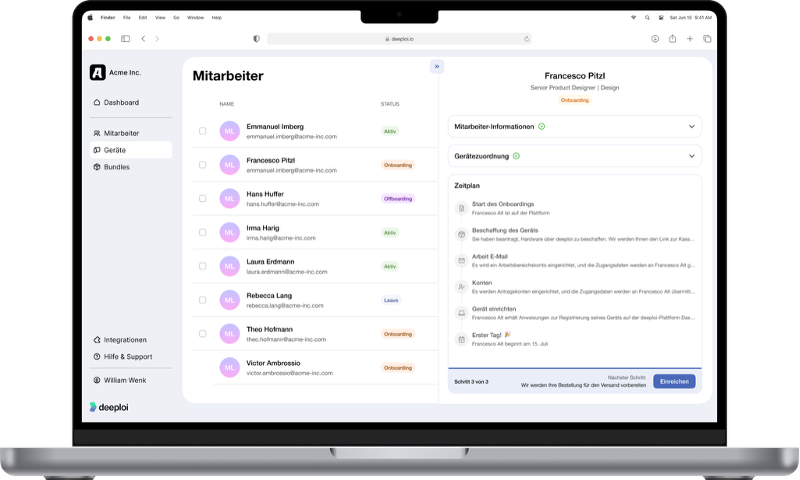
Here's what that looks like in practice, with a direct comparison between manual and automated offboarding with deeploi:
IT offboarding features in deeploi
deeploi covers the entire offboarding process with these core features:
HR integration (Personio, Factorial, HiBob, BambooHR): As soon as a leaving date is entered in your HR software, the offboarding process starts automatically.
Workspace management (Google Workspace, Microsoft 365): Licences are automatically downgraded or deactivated, and email forwarding is set up directly.
SaaS deprovisioning: All accounts and access rights are deactivated centrally in a single step.
Device management: Devices are locked via remote lock, automatically reset after return, and tracked via hardware tracking at all times.
IT support: For questions or issues, the deeploi team responds in an average of 12 minutes (SLA is 30 minutes). Support is available in both German and English.
Over 200 companies already trust deeploi. A rating of 4.8/5 on OMR Reviews shows they made the right call.
{{quote}}
How automated offboarding with deeploi works
The entire offboarding process requires only 3–5 minutes of input. After that, every step runs automatically – no manual intervention from your IT team needed. Here's how it works in detail:
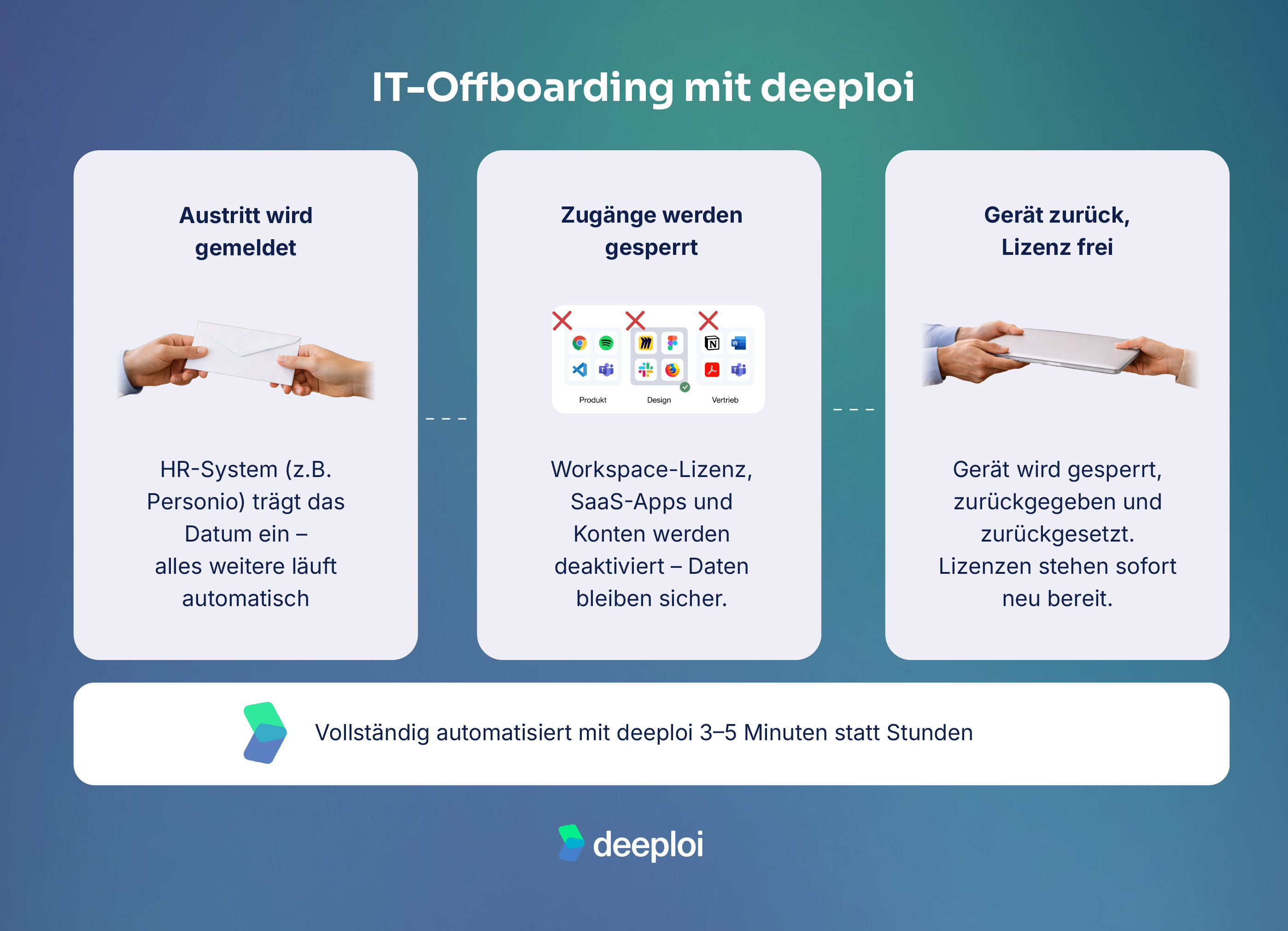
Step 1: The automatic trigger
As soon as a leaving date is entered in your HR software (e.g. Personio, HiBob, or BambooHR), the offboarding process in deeploi starts automatically. No manual prompt, no separate notification required. Time-delayed actions can also be defined in advance: if an account should only be deleted three months after the exit date, that runs fully automatically in the background too.
Step 2: Access revocation and SaaS deprovisioning
The workspace licence in Google Workspace or Microsoft 365 is automatically set to inactive. At the same time, deeploi activates email forwarding and centrally deactivates all linked SaaS accounts. Importantly: data is only deleted if you explicitly choose this option. Business-critical data – such as project documents or client communications – is transferred to the successor first. Your IT team retains full control over how data is handled at all times.
Step 3: Device reset and licence release
Devices belonging to departing employees are locked via remote lock and prepared for return. Once the IT manager confirms receipt, they can trigger an automatic reset and mark the device as returned. From that point, it's immediately available in the inventory for new colleagues. Released licences are also instantly available for reassignment.
Is your IT offboarding still manual?Forgotten accounts, ongoing licence costs, and hours of manual work are a thing of the past. deeploi automates your entire offboarding process – secure, GDPR-compliant, and set up in minutes.
Automate IT offboarding now →
Conclusion: the path to secure, automated IT offboarding
Forgotten access, ongoing licences, and missing compliance documentation are not isolated incidents – they're the reality in many organisations. But these risks can be meaningfully reduced with an automated offboarding process that leaves nothing to chance.
deeploi maps the entire offboarding process in minutes – from HR integration to access revocation to licence release. That means you get valuable time back and reliably protect your company.
FAQ
Why should I automate offboarding in my organisation?
Manual offboarding carries significant security risks, creates unnecessary licence costs, and puts GDPR compliance at risk. Automation ensures that access is revoked immediately, licences are released, and every step is documented without gaps. This saves time, reduces risk, and relieves your team of error-prone manual work.
How long does IT offboarding take with deeploi?
Input in the platform takes just 3–5 minutes. After that, all steps – access revocation, data transfer, and licence release – run fully automatically. For comparison: manual IT offboarding takes an average of around 3 hours per person.
How does automated offboarding work in Microsoft 365?
deeploi automatically sets the Microsoft 365 licence to inactive, activates email forwarding, and transfers business-critical data to the successor. The account is then deactivated. This keeps important data intact while revoking access for the departing employee immediately.
Is automated offboarding GDPR-compliant?
Yes. deeploi documents every offboarding step without gaps. The platform is audit-ready, ISO 27001-certified, and designed around European data protection standards.
What happens to employee devices and data during offboarding?
Devices are locked via remote lock and automatically reset after return. Business-critical data – such as project documents or client communications – is transferred to successors beforehand. Private data and personal settings are then deleted in line with GDPR.