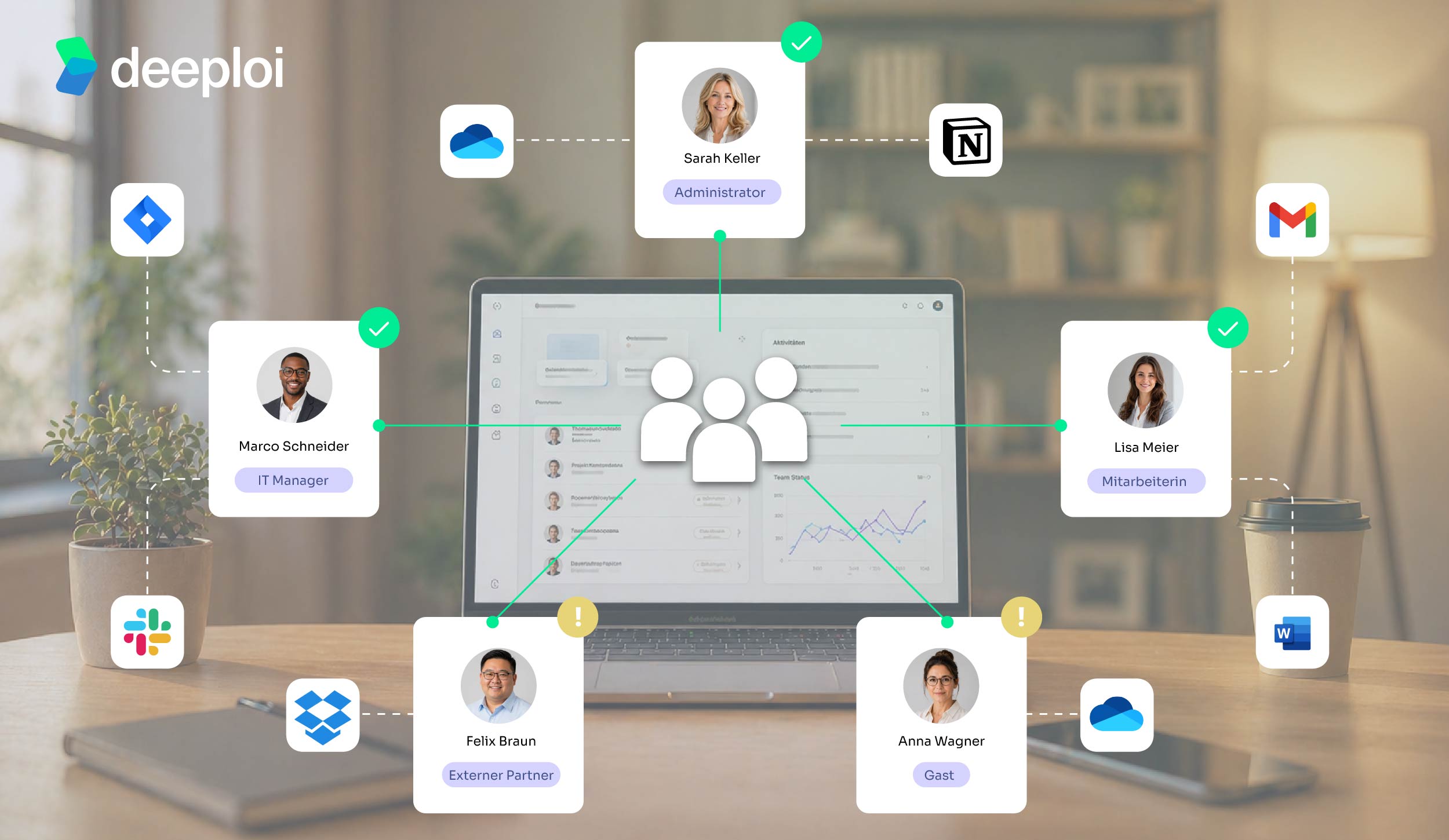









Direct Answer
For SMBs, the best solution is usually not a complex enterprise IAM suite, but an approach that combines IAM with operational IT support. Tools like Microsoft Entra ID or Google Workspace provide the technical foundation, while deeploi takes care of onboarding, role-based access, MFA, and offboarding in day-to-day operations.
Key Takeaways
What are identity & access management (IAM) tools?
Identity and access management answers a fundamental question: who in your organisation is allowed to access which systems, data, and applications? IAM software manages the entire lifecycle of a digital identity – from creation on the first day of work, through role changes, to deactivation during offboarding.
In short: IAM tools ensure that the right people have the right access at the right time – and that everyone else is kept out. This isn't just about passwords; it's about a consistent permissions framework that grows with your organisation.
Good to know: IAM is not a tool you buy and then forget about. Someone needs to design the role model, maintain groups, and handle exceptions. For SMBs, it's not the tool itself that creates the overhead – it's the work behind it.
What categories of IAM tools are there?
The IAM market is divided into four core categories, each covering different tasks:
- Access management handles secure login: Single Sign-On (SSO), Multi-Factor Authentication (MFA), and Conditional Access ensure that employees log in once and gain secure access to all authorised apps.
- Identity Governance & Administration (IGA) governs who has which permissions and for how long. The joiner-mover-leaver process runs automatically: a new role means new access rights, and old ones are revoked automatically.
- Privileged Access Management (PAM) protects particularly sensitive accounts. Admin rights are not granted permanently – only temporarily and with approval, with comprehensive session monitoring.
- Customer IAM (CIAM) is aimed not at employees but at external users. Customers of an online shop can manage their own accounts securely and in line with GDPR requirements.
For companies with 30–200 employees, this breakdown is important to understand – but in practice, it's rarely implemented one-to-one. Running each of these categories as a separate standalone solution means four different tools, four admin interfaces, four contracts, and someone to configure and maintain all of it.
Most growing businesses don't need an enterprise IAM suite with hundreds of configuration options. They need a solution that reliably covers role-based access control, automated user provisioning, and MFA enforcement. That's exactly deeploi's approach: no separate IAM project, but access management as an automatic part of the entire IT operation.
{{cta}}
Die besten IAM-Tools im Vergleich
Welche IAM-Lösung passt zu deinem Unternehmen? Das hängt von mehreren Faktoren ab. Die folgende Vergleichstabelle stellt fünf relevante IAM-Lösungen nach einheitlichen Kriterien gegenüber.
The best IAM tools compared
Which IAM solution fits your business? That depends on several factors. The comparison table below puts five relevant IAM solutions side by side using consistent criteria.
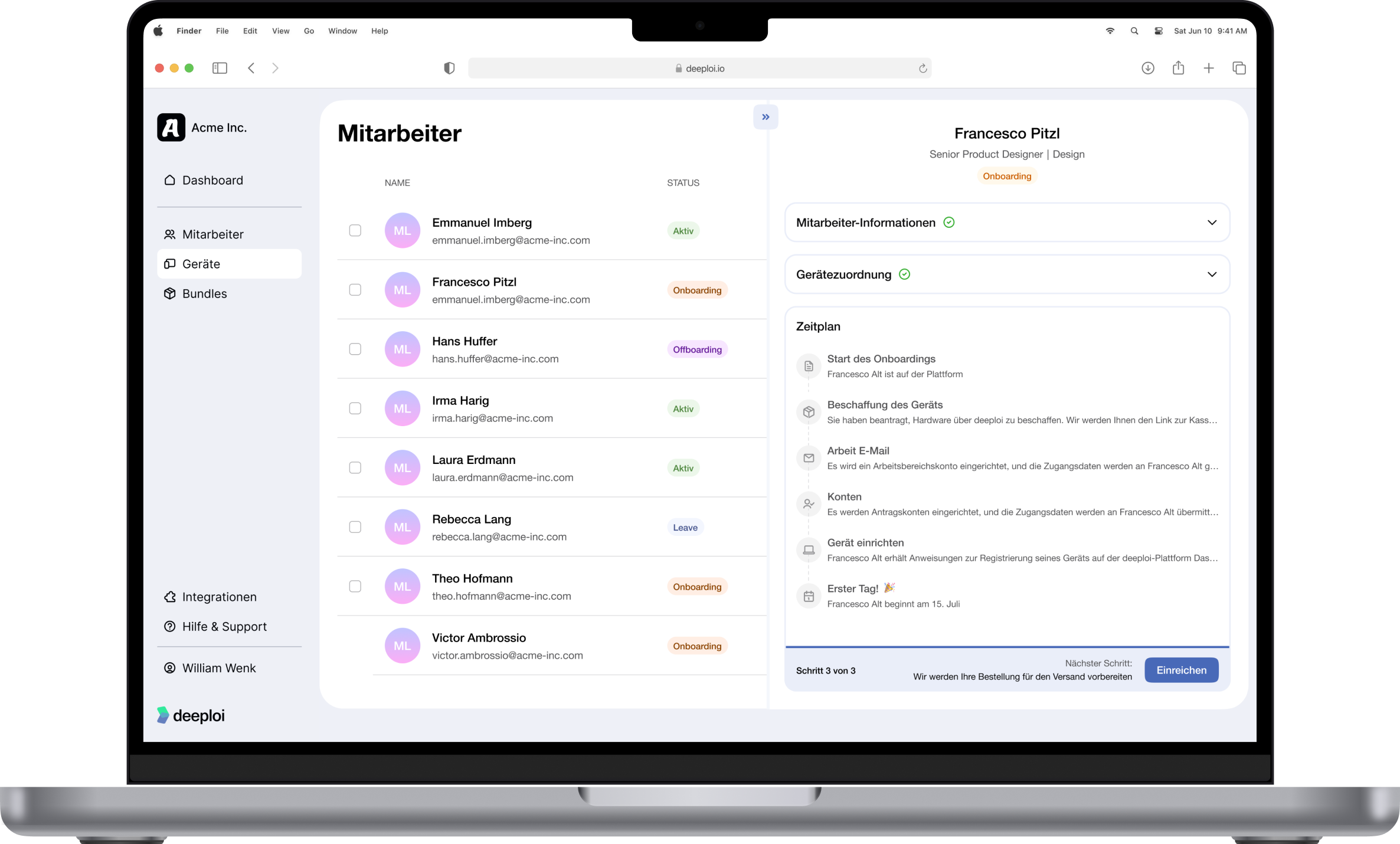
deeploi: the all-in-one IT platform
deeploi is not a traditional IAM tool. It's an IT-as-a-service platform that operationally handles IAM tasks. The key difference: with pure IAM solutions, you purchase software and have to configure, maintain, and operate it yourself. With deeploi, the operational layer is included. You fill in a short onboarding form in just a few minutes, and deeploi takes care of the rest.
In practice, this means:
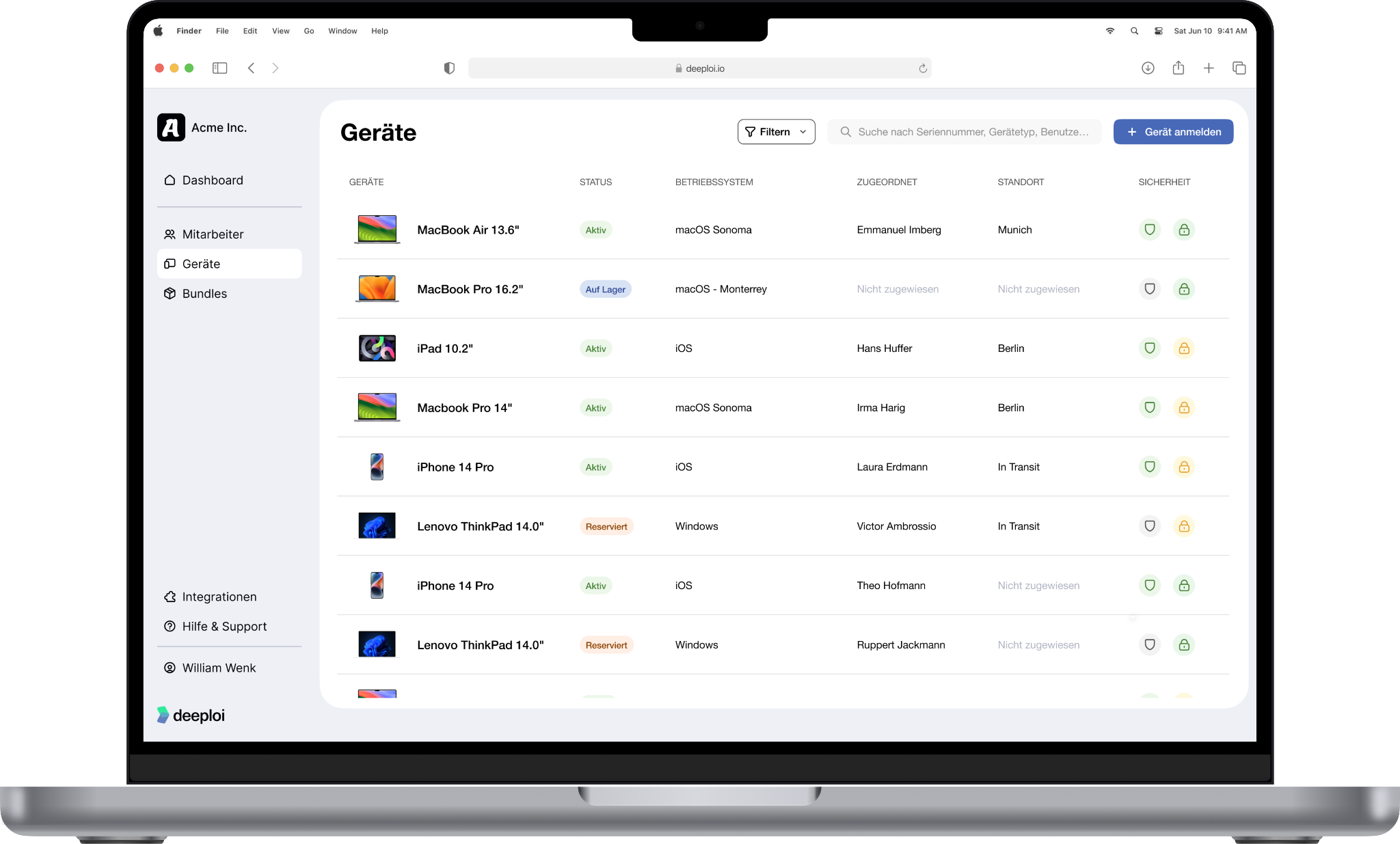
- Automated on- and offboarding in 3–5 minutes
- Role-based bundles for consistent access provisioning
- Centralised account management in Microsoft 365 and Google Workspace
- MFA enforcement at workspace level
- Fast and reliable human IT support in German and English
- ISO 27001-certified and GDPR-compliant, with hosting on AWS in Germany
deeploi is particularly well suited to SMBs with 30–200+ employees who don't have a dedicated IT team or want to take the load off their IT department. deeploi takes over the complete operational identity and access management as a service – making it unnecessary to hire an internal Identity Engineer.
Microsoft Entra ID
Microsoft Entra ID (formerly Azure Active Directory) is the standard IAM solution for organisations within the Microsoft 365 ecosystem. If your team is already using M365, Entra ID is already included in the base functionality. Its strengths lie clearly in deep integration: Single Sign-On for Microsoft apps, Conditional Access policies, directory services, and Privileged Identity Management (PIM) for managing privileged accounts.
Entra ID requires someone to configure Conditional Access, maintain groups, and manually implement the joiner-mover-leaver process. Without internal admin capacity, its potential goes untapped.
Okta
Okta IAM is a cloud-native platform particularly well suited to organisations with highly complex multi-cloud environments. Its app catalogue covers thousands of integrations, and its SSO and MFA functionality ranks among the most mature on the market. Add to that lifecycle management and API access management for demanding setups.
The platform assumes that someone within the organisation actively maintains configuration, role models, and integrations.
JumpCloud
JumpCloud is a cloud directory platform explicitly targeting SMBs and the mid-market. JumpCloud identity management combines directory services, SSO, MFA, and device management in a single platform. It's an interesting option for organisations with mixed OS environments (Windows, macOS, Linux) that need a central user directory in the cloud without relying on a traditional Windows server infrastructure.
JumpCloud is a self-service tool. Configuration, role maintenance, onboarding workflows, and offboarding processes are entirely the customer's responsibility. For businesses with an accidental IT owner – someone managing IT on the side – this means: you get a powerful tool, but you have to operate it yourself.
Google Workspace as an identity provider
For Google-centric organisations, Google Workspace already functions as an identity provider – often without explicitly labelling it as such. Basic IAM functions are built in: group-based access management, MFA authentication, directory services, and the ability to centrally manage user accounts.
However, Google Workspace hits its limits when requirements become more complex. True identity lifecycle management, automated user provisioning beyond the Google ecosystem, or granular access certifications are not available. Native lifecycle workflows for the joiner-mover-leaver process and in-depth SaaS access management functionality are missing.
Many SMBs already use Google Workspace and treat it de facto as their central directory. Platforms like deeploi integrate Google Workspace as an authoritative directory and add exactly the operational layer that's missing: automated on- and offboarding, role-based bundles, and centralised account management beyond Google. This turns a basic identity provider into a complete cloud access management solution.
Whether you use Microsoft 365 or Google Workspace: deeploi integrates with your existing identity provider and operationally handles the complete access management.
Automate access management with deeploi now
Which IAM tool is right for your business?
Not every business needs the same IAM solution. The right choice depends on three factors: your company size, your existing tech stack, and the resources you can allocate for operations and ongoing maintenance.
Many SMBs hesitate to take the step because they believe they're too small for structured access management. But the threshold is surprisingly low: from around 30 employees onwards, operating without a permissions framework creates blind spots around access, roles, and former employees.
Before deciding on an IAM tool, work through the selection criteria below systematically. They'll help you identify solutions that genuinely fit your day-to-day reality – rather than paying for features nobody configures.
Checklist: the most important selection criteria for IAM
Switching is often the biggest hurdle: many companies stay with a suboptimal solution because the migration seems daunting. Understandably so – migrating directory services, group structures, and SaaS access is genuinely the hardest part.
That's why it's worth planning the switch realistically. Start with a stocktake: which tools does your team use, who has which access, and where are there undocumented permissions? Clarify who will manage the migration internally – or whether you need external support.
How much effort the switch actually involves depends heavily on the provider you choose. With traditional IAM tools, all migration work falls on you internally: setting up directories, configuring groups, building workflows. With deeploi, the support team actively guides the entire onboarding process, significantly reducing the internal time investment. In most cases, businesses are up and running within one to four weeks, depending on the size and complexity of their existing tech stack.
For SMBs in particular: don't choose the tool with the most features – choose the one where someone takes care of the work behind it. Because the best permissions framework is worthless if nobody maintains it.
Common IAM mistakes and their consequences
Many SMBs repeatedly make the same mistakes when it comes to IAM. The technology is often in place, but the processes behind it are missing or not consistently followed. The result: security gaps, compliance violations, and unnecessary manual effort.
The most common mistakes at a glance:
- Oversized tool selection: Enterprise solutions are purchased even though nobody in the organisation has the capacity to configure and maintain them. The licence runs, the tool gathers dust.
- Missing HR integration: Onboarding and offboarding run separately from HR management. New employees are added to HR platforms, but nobody automatically triggers IT provisioning. The joiner-mover-leaver process stays manual.
- Neglected offboarding: Accounts are not fully deactivated when someone leaves. Former employees retain access to Slack, Google Drive, or SaaS tools – sometimes for weeks or months.
- Privilege creep: Access rights are granted for role changes or projects but never revoked. Over time, permissions accumulate far beyond the principle of least privilege.
- IAM reduced to MFA: Multi-factor authentication is treated as a sufficient IAM solution. But MFA only addresses the question "Is the right person logged in?" – not "Should this person still have access at all?" A common misconception: MFA secures the login, but not the lifecycle. Who has access, for how long, and to which resources remains unresolved without lifecycle management.
A concrete scenario illustrates the risk: an employee leaves the company. Her Google account is deactivated, but her access to Slack, a project management tool, and a shared Google Drive folder remains active. Three months later, an internal audit picks it up. Under Art. 32 of the GDPR, organisations are required to implement appropriate technical and organisational measures to protect personal data. Active access for former employees violates this requirement and creates a real liability risk.
{{cta}}
Automating IAM and access management with deeploi
The mistakes described above have one thing in common: they don't arise from a lack of technology, but from a lack of operational follow-through. This is precisely where deeploi comes in.
As an IT-as-a-service platform, deeploi does not replace your identity provider – whether Microsoft Entra ID or Google Workspace. Instead, deeploi takes over all the operational work that sits on top of the identity provider: creating accounts, assigning access rights, maintaining roles, and carrying out offboarding in full.
The result: your permissions framework is not just set up once – it's automatically applied at every onboarding, role change, and offboarding. You get time back, reduce security risks from orphaned accounts, and can demonstrate who had access to which systems at any given time.
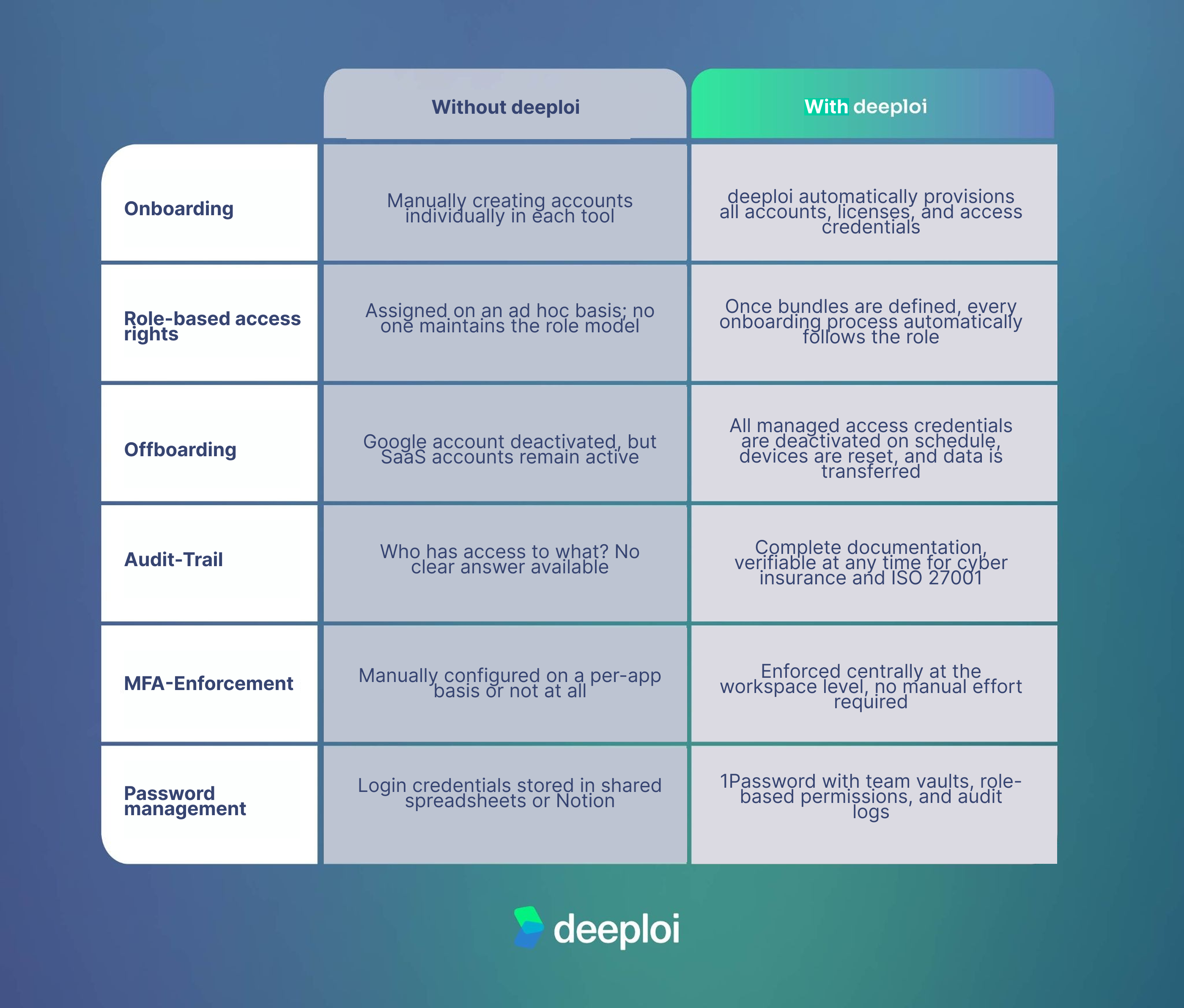
What this looks like in practice is illustrated by the example of Hanseranking: the company reduced the time spent on on- and offboardings from over three hours to three to five minutes – without any in-house IT department. Instead of working through manual checklists and assigning access one by one, the entire process now runs automatically through deeploi. The result: fewer errors, no orphaned accounts, and a first day where new team members can hit the ground running.
Conclusion: IAM tool or operational partner?
Dedicated IAM solutions such as Microsoft Entra ID, Okta, and JumpCloud technically cover IAM requirements – but they assume that someone takes care of the work behind them. For businesses without their own IT team, or those looking to take the load off their IT department, the question becomes: who handles that?
deeploi answers this question differently. With deeploi, IAM is not a separate project – it's an automatic part of every onboarding, role change, and offboarding. You keep your existing identity provider; deeploi takes over the operational implementation.
If you see access management not as an IT task but as the foundation for secure growth, the next step is straightforward: book a demo and see for yourself how deeploi handles your identity and access management.
FAQ
Do SMBs with fewer than 200 employees need their own IAM tool?
From around 30 employees, structured access management becomes worthwhile. For many SMBs, an integrated platform solution like deeploi is sufficient – covering core IAM functions such as automated on- and offboarding, role-based access control, and MFA enforcement.
How does an IAM tool help with GDPR compliance?
IAM functions such as access controls, audit trails, and automated deprovisioning directly address the requirements of Art. 32 GDPR (technical protective measures) and Art. 5(1)(f) (confidentiality and integrity). This makes it possible to demonstrate at any time who had access to which data and when.
What happens to access rights during offboarding?
With manual processes, access often remains active for weeks or months – which can constitute a GDPR violation. Automated offboarding, such as through deeploi, revokes all managed access rights precisely on schedule and documents the entire process without gaps.
Are SSO and MFA sufficient as an IAM solution?
SSO and MFA are important building blocks, but not a complete IAM solution. Without identity lifecycle management and access governance, critical gaps remain open: privilege creep, incomplete offboarding, no audit trails, and uncontrolled accumulation of permissions.

.jpg)

